
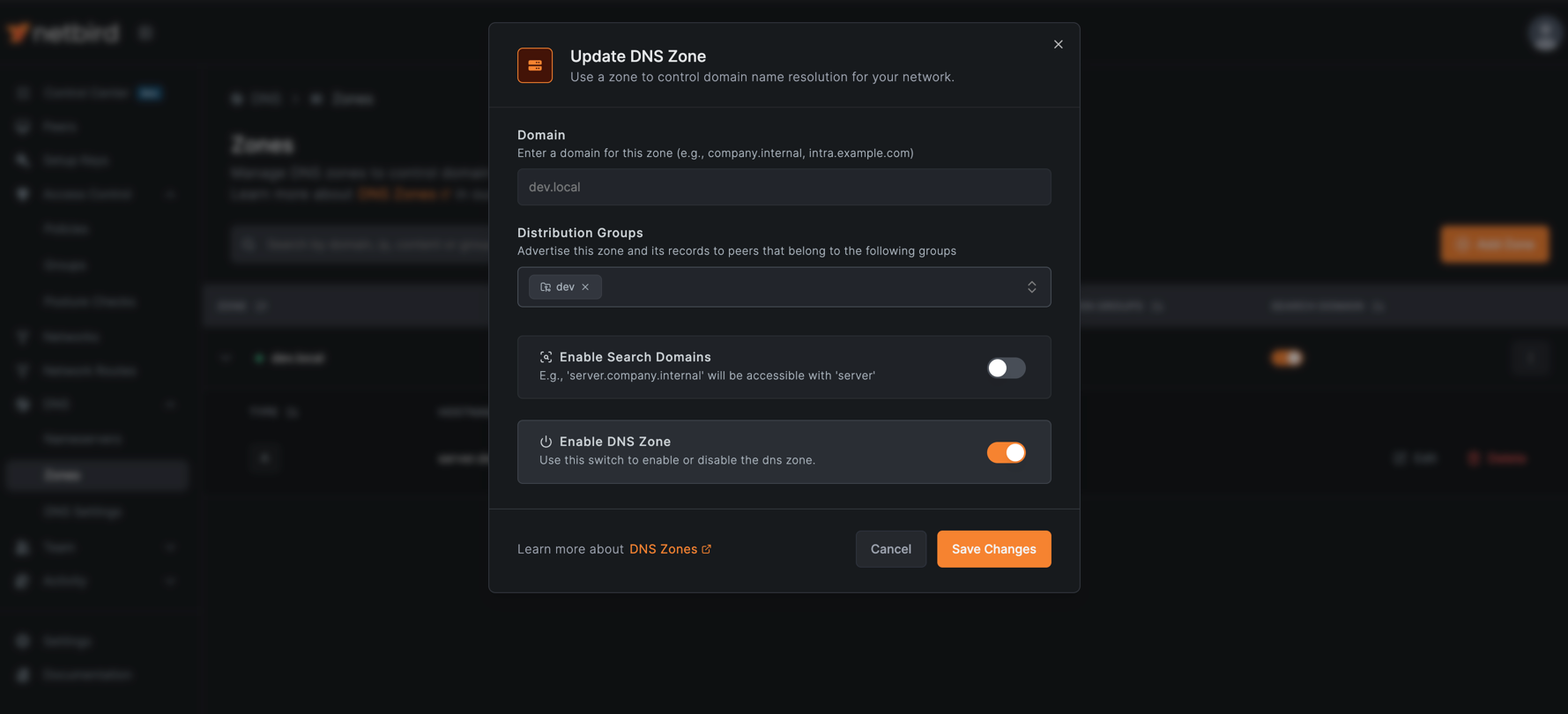
NetBird now supports private DNS zones, allowing you to host DNS records directly within your network, with no external DNS servers needed. Version 0.63 brings a feature that homelab enthusiasts and enterprise teams alike have been asking for: the ability to create internal DNS zones, add records, and distribute them to exactly the peers that need them.
You can create a zone like , add A, AAAA, or CNAME records, and distribute them to specific peer groups. Resolution happens locally on each peer, and records propagate automatically when group membership changes. With search domain support, peers can query short names like instead of the full .
Here's what's new:
- Private DNS zones - Create internal zones and manage DNS records directly from the Dashboard, with no external DNS servers needed
- Group-based distribution - Distribute zones to specific peer groups, giving different teams access to different records or entirely separate zones
- Search domain support - Enable short name resolution so resolves to
- Routed network integration - Map friendly DNS names to private IPs behind routing peers, and NetBird handles both resolution and traffic routing
Custom zones take precedence over nameserver configurations, giving you full control over how specific domains resolve within your network.
The Problem with External DNS
Managing internal DNS usually means one of two things: maintaining separate DNS servers for your private network, or manually configuring hosts files across all your devices. Neither option scales well.
For homelabs and small teams, running a full DNS server like Pi-hole or Unbound just for internal resolution adds complexity and another service to maintain. For enterprises, coordinating DNS across multiple environments, including production, staging, and development, often requires dedicated infrastructure teams.
What most people actually want is simpler: point at and have it just work for the right people.
Custom DNS Zones
Creating a Zone
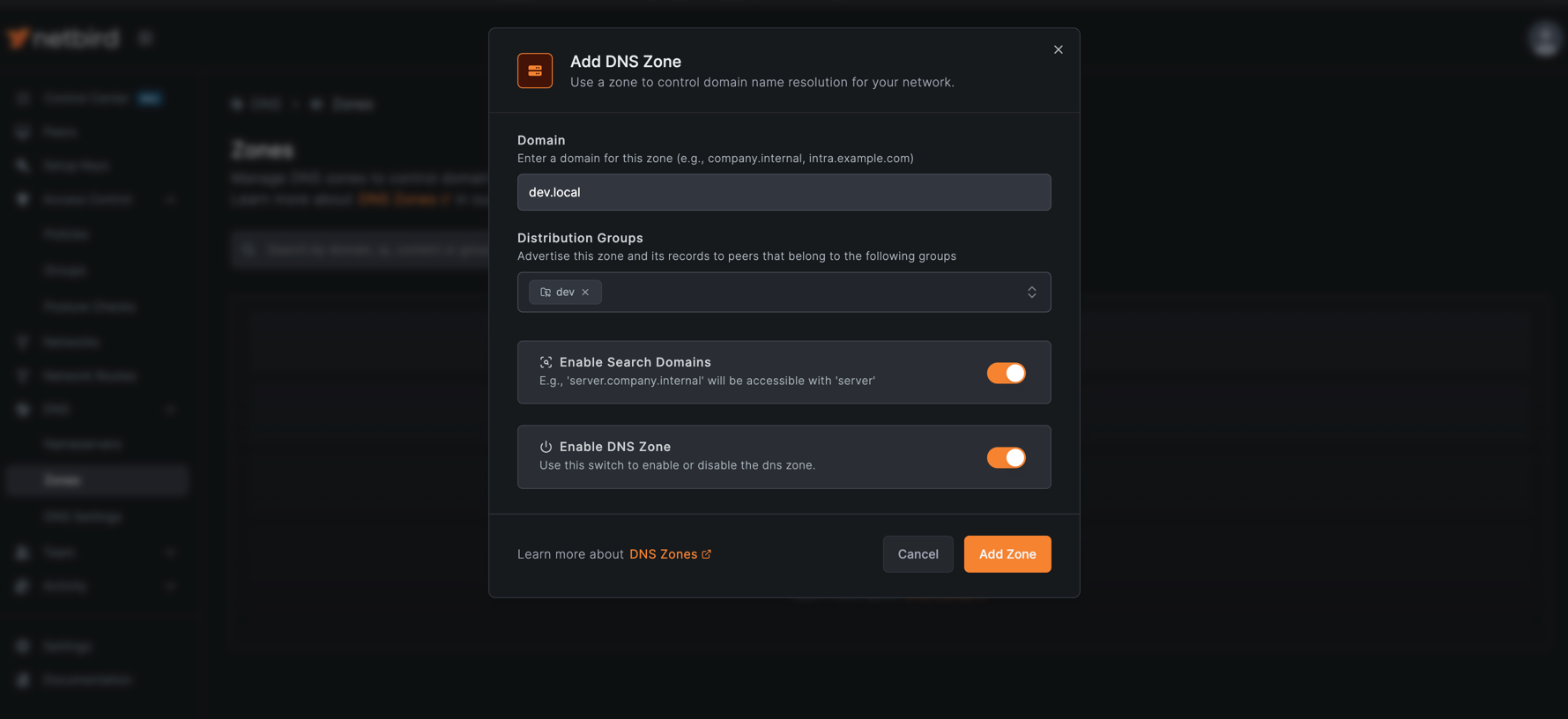
- Navigate to DNS → DNS Zones
- Click Create Zone
- Enter your zone name (e.g., )
- Select the peer groups that should have access to this zone
- Optionally enable Search Domain to allow short name resolution
- Click Create
Adding Records
Once you've created a zone, adding records is straightforward:
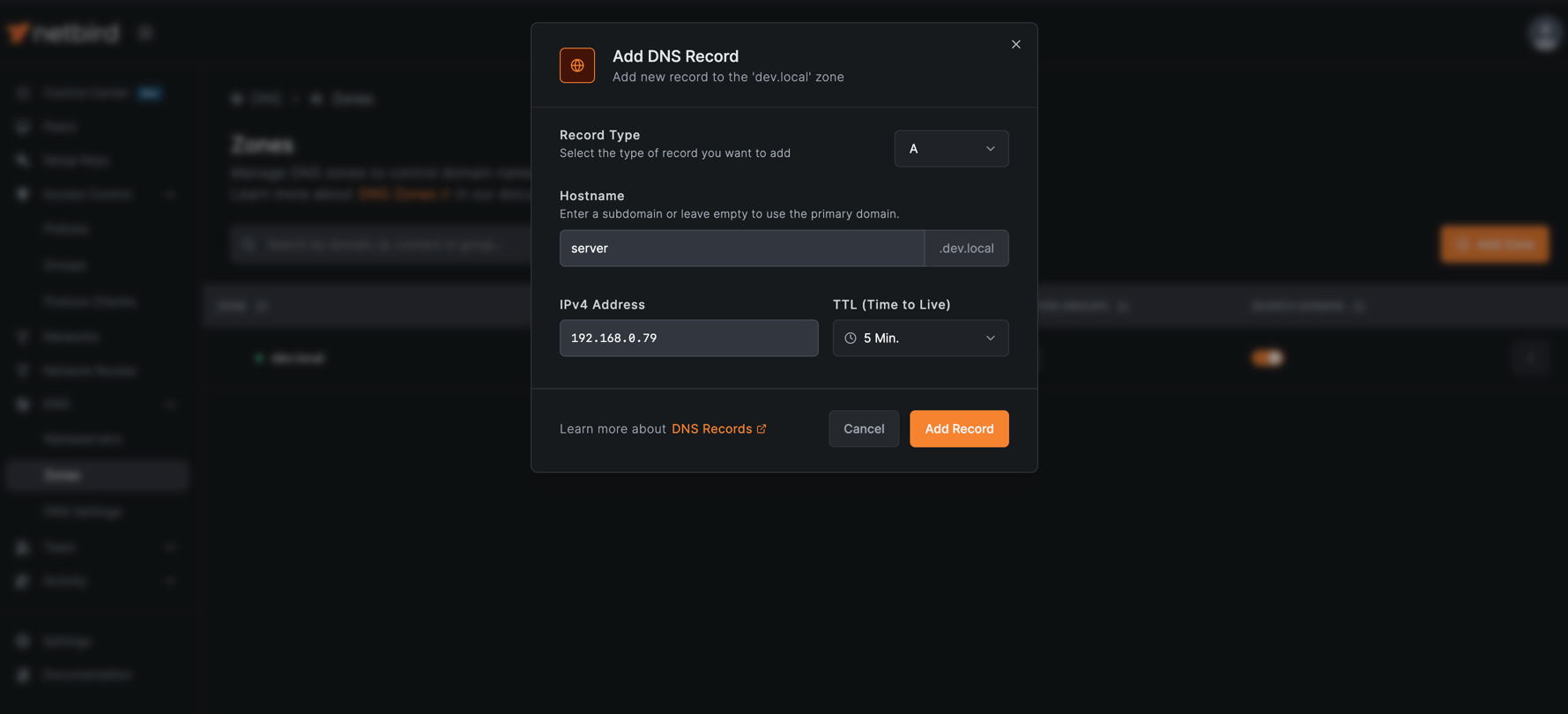
- Click on your zone to view its records
- Click Add Record
- Choose the record type:
- A - Maps a hostname to an IPv4 address
- AAAA - Maps a hostname to an IPv6 address
- CNAME - Maps a hostname to another hostname
- Enter the hostname and target value
- Click Create
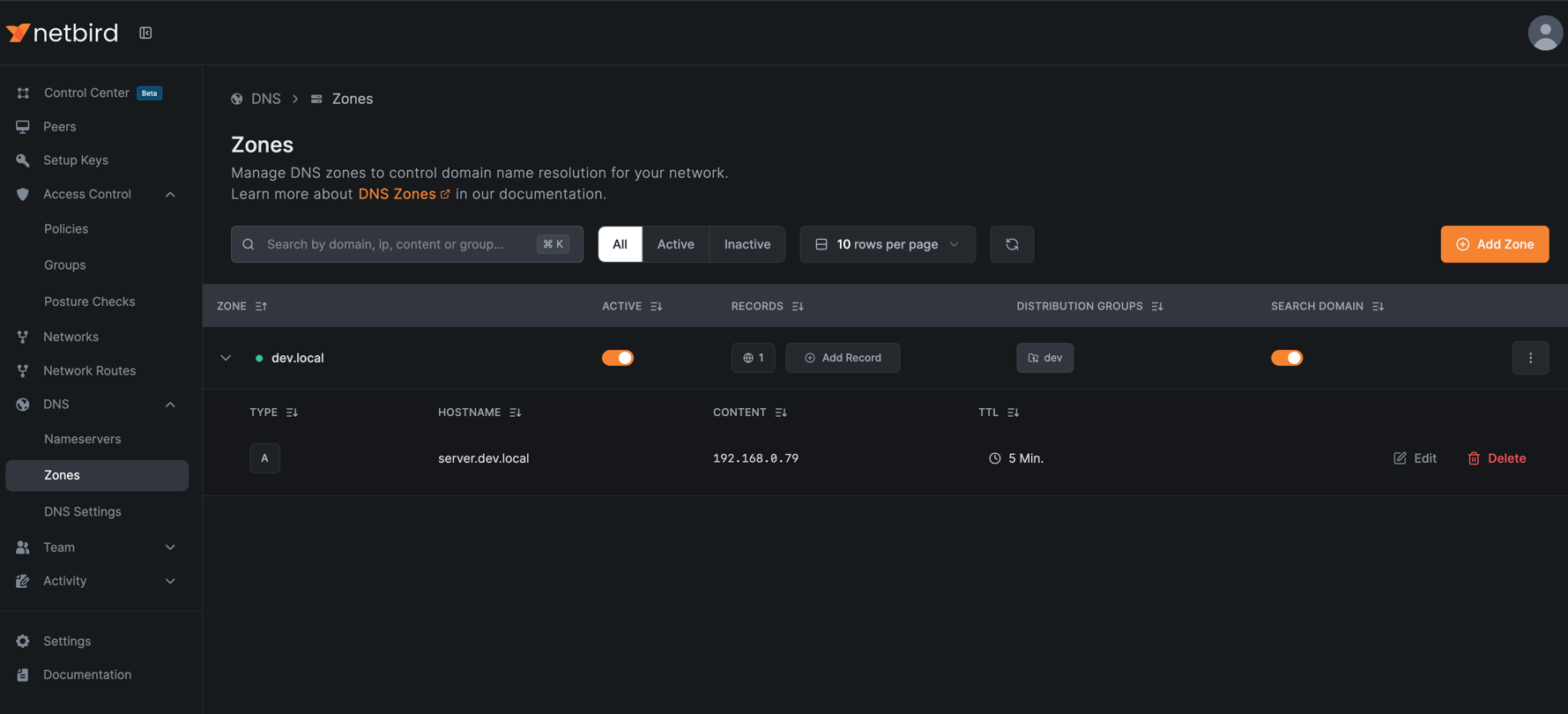
Records propagate automatically to all peers in the assigned groups. When a peer joins or leaves a group, their DNS configuration updates accordingly.
How Resolution Works
DNS resolution for custom zones happens locally on each peer:
- Peer queries a hostname (e.g., )
- NetBird's local resolver checks if the domain matches a custom zone
- If matched, the resolver returns the configured IP directly
- If not matched, the query falls through to configured nameservers
Custom zones take precedence over nameserver configurations, so you can override external DNS for specific domains while letting everything else resolve normally.
With search domains enabled, peers can query instead of . NetBird automatically appends the zone suffix during resolution.
Integration with Routed Networks
Custom DNS zones pair naturally with NetBird's network routes. When you have resources in a data center or cloud VPC accessible through a routing peer, you can now give them friendly DNS names.
Instead of telling your team to connect to for the staging database, you create a record:
NetBird handles both the DNS resolution and the traffic routing. When your team accesses , the local resolver returns the private IP, and NetBird routes the traffic through the appropriate routing peer.
This works for any routed network, including on-premises data centers, cloud VPCs, or remote sites connected via routing peers.
Get Started
-
Documentation: See the Custom Zones Guide
-
Routed networks: Check out DNS Aliases for Routed Networks
-
Self-hosted: Use the Quickstart Guide to deploy the latest version
-
Try NetBird: Get started at netbird.io/pricing
-
Join the community: Star us on GitHub · Follow us on X