
Regardless of company size, network access control is vital for safeguarding private networks. Organizations, from SMBs to large-scale enterprises, face numerous challenges, such as inefficient remote network access management, cumbersome onboarding processes, and potential security vulnerabilities. These issues can impact productivity and expose networks to threats.
Enter NetBird's Identity Provider (IdP) feature—a robust solution to streamline network access management. By integrating with leading identity providers like Microsoft, Google, and Okta, NetBird's IdP feature simplifies access controls enforcement, users and groups provisioning, and fostering zero-trust networking principles. This article explores how NetBird's addresses network access control challenges, offering modern businesses a seamless and secure solution.
Navigating Common Pitfalls in Network Access Management
Managing network access effectively is a challenging task. Consider the onboarding and offboarding of team members—a process that should be seamless but often isn't. Without automated systems, IT teams must manually assign and revoke access, a task prone to human error and delays. This inefficiency risks unauthorized access and slows down productivity as new employees wait for the necessary permissions. Furthermore, manual group assignments can lead to inconsistent access controls, creating security gaps that are difficult to monitor and manage. These challenges highlight the critical need for an automated approach to network access management.
NetBird understands these pain points and the frustration they cause. By addressing these common pitfalls, NetBird's IdP feature offers a lifeline to businesses striving for secure and efficient remote network access management. Through automation and integration with existing platforms, NetBird simplifies the complexities of network access, ensuring that security and efficiency go hand in hand. Let’s see how.
Addressing Security and Access Control Challenges
NetBird's Identity Provider sync feature provides a comprehensive solution to the challenges in network access management:
- Automated User Identity Synchronization: Automatically sync user identities thus eliminating manual errors and ensuring consistent access controls across your organization to enhance security and reduce administrative overhead. You can use either managed identity providers like Microsoft Entra ID (Azure AD) , Google Workspace , Okta , Auth0-compatible providers, and JumpCloud , or self-hosted identity providers such as Zitadel , Keycloak , and Authentik .
- Automatic Group Assignments: This feature assigns users to the correct groups based on predefined criteria, streamlining onboarding and offboarding processes. This reduces the risk of unauthorized access and improves operational efficiency.
- Real-Time Updates: Ensures that user access levels are updated in real-time, maintaining up-to-date access controls and supporting a dynamic and secure zero-trust networking model.
- User-Friendly Interface: Designed for simplicity and ease of use, allowing businesses to implement the solution with minimal disruption and facilitating a smooth transition to enhanced security.
If you want a deeper dive on how to integrate your identity provider, NetBird provides detailed documentation to guide you through each step of the process, ensuring a smooth and effective implementation.
You can also explore the benefits of this feature in the next section, where we guide you through a real-world use case of NetBird’s IdP integration.
Streamlining Onboarding and Access Controls with NetBird's Zero-Trust Networking Solution
To showcase how easy it is to onboard and offboard users and synchronize groups with NetBird's integration we'll use Okta. Please refer to the documentation for detailed instructions on integrating NetBird with Okta .
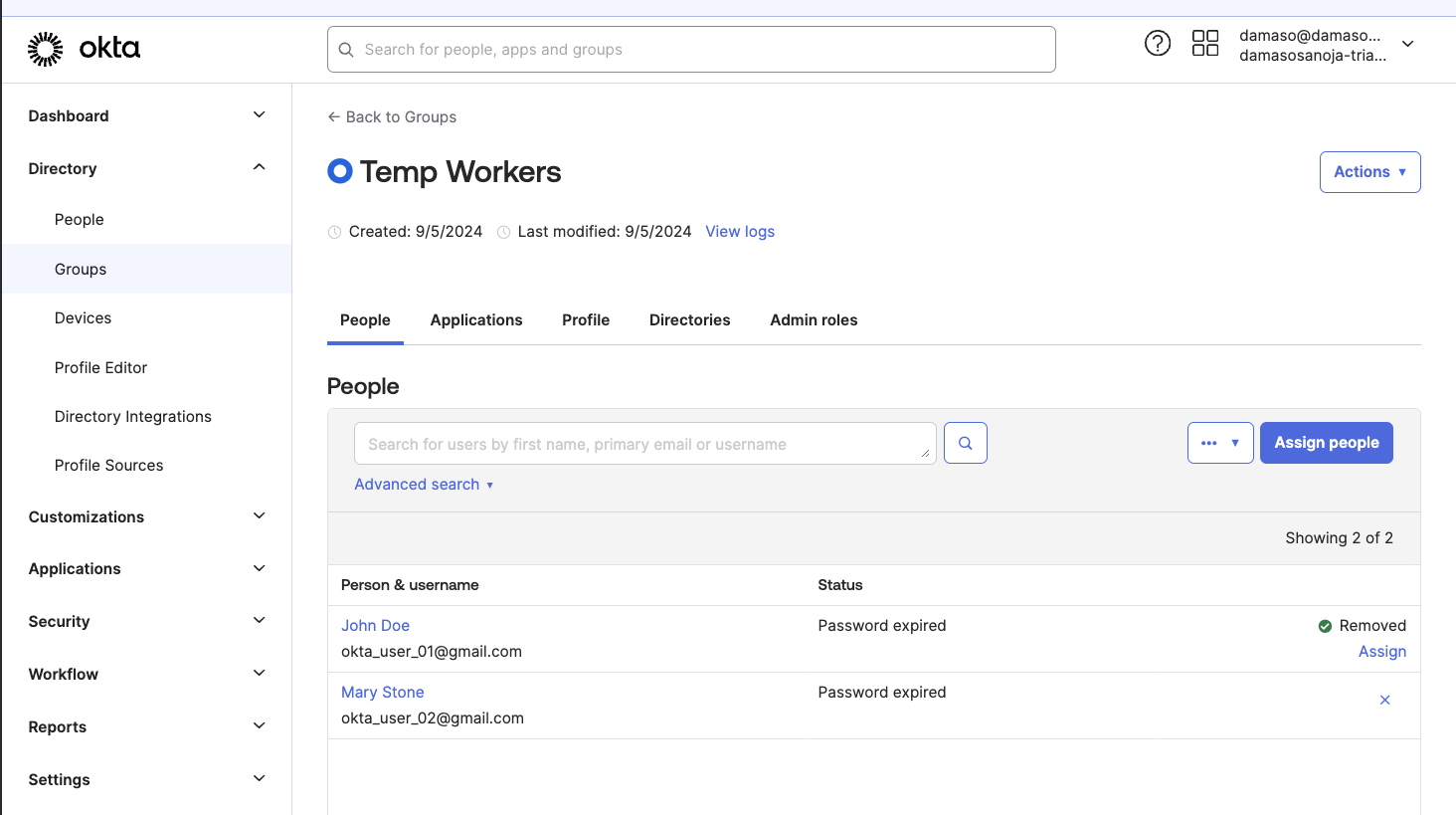
Let's say you have a group in Okta called with two users and want to push it to NetBird.
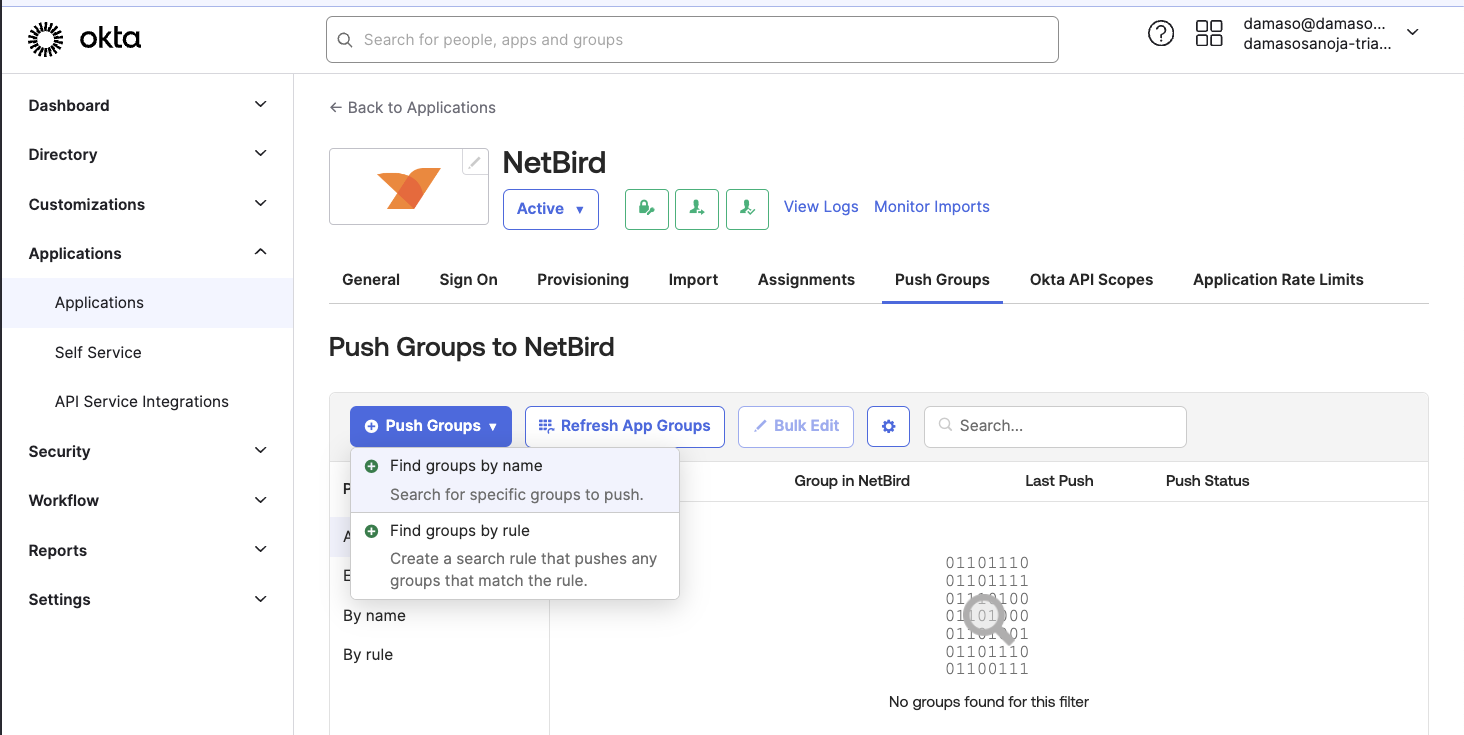
To push the group to NetBird, navigate to the Okta admin console and go to . Then, click on the tab. Next, click the button and select .
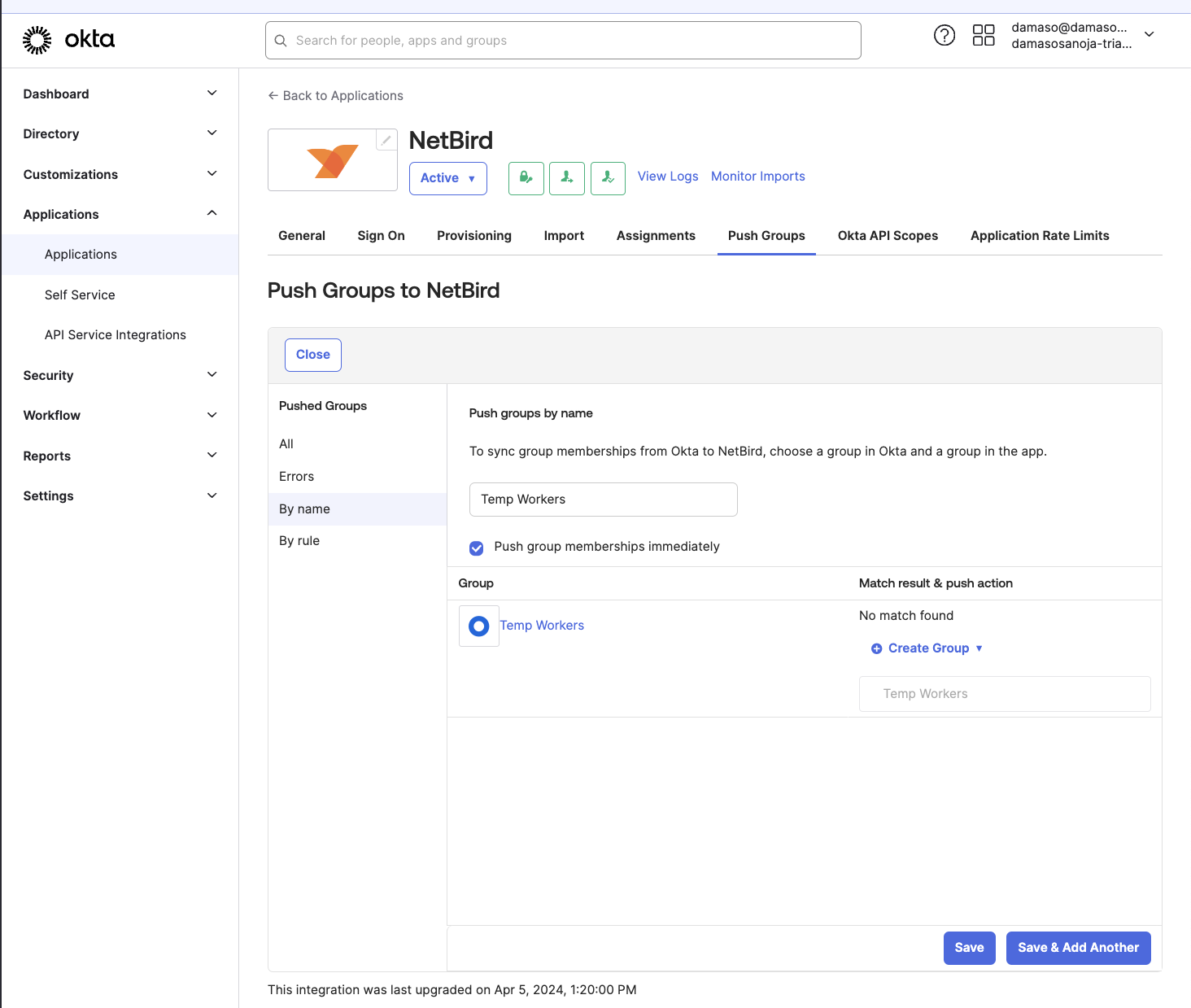
Enter the name of the group you want to push, in this example, Click , and then click when done.
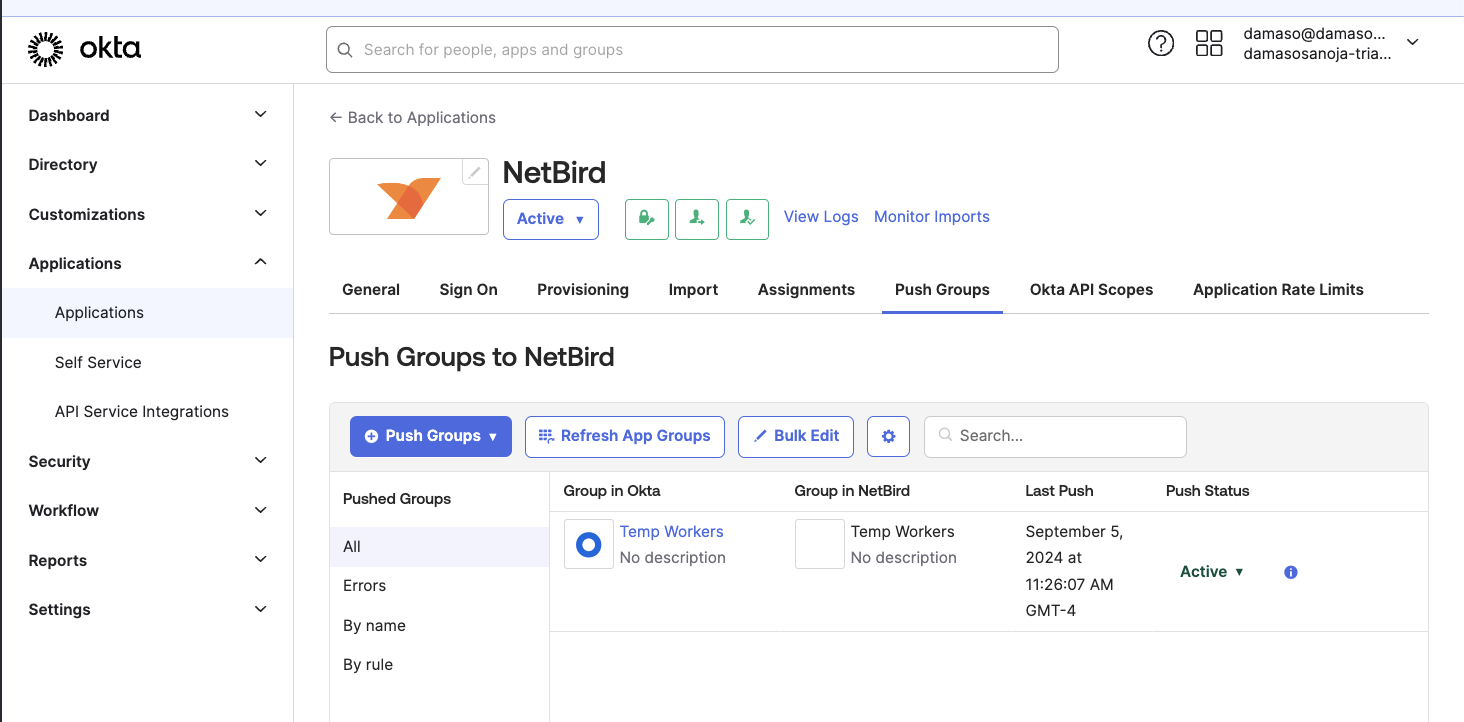
You will see a message indicating that Okta is pushing the group. Once the process is complete, the Push Status will change from to as shown below.
You can now go to the NetBird admin console and navigate to to verify the changes. You will see the new users and their groups if everything goes as expected.
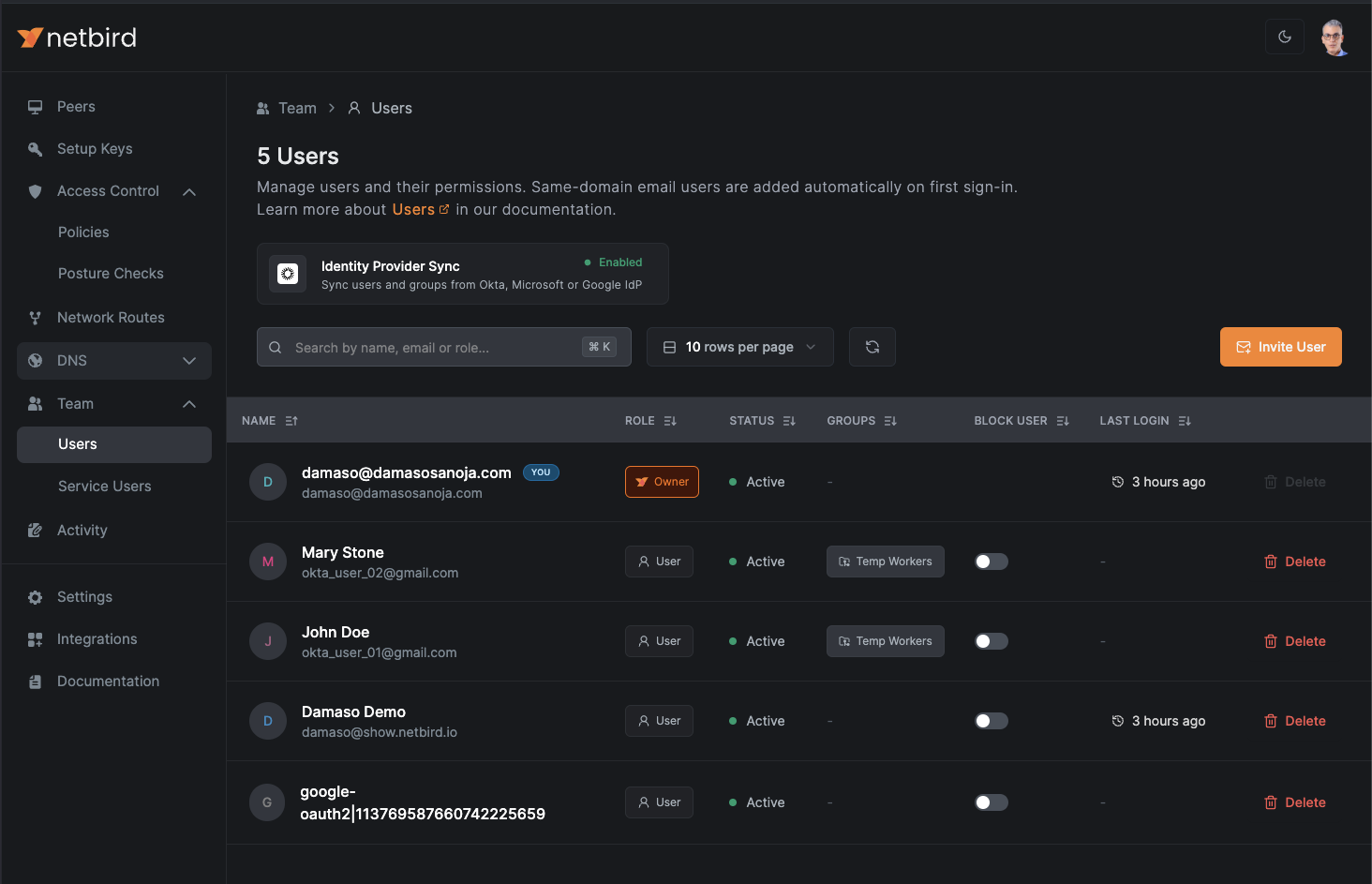
From here, you can perform various actions. For instance, you can create an Access Policy in NetBird to allow users from the group to access resources in a .

You can also add or create Posture Checks to ensure new members comply with your internal security policies.
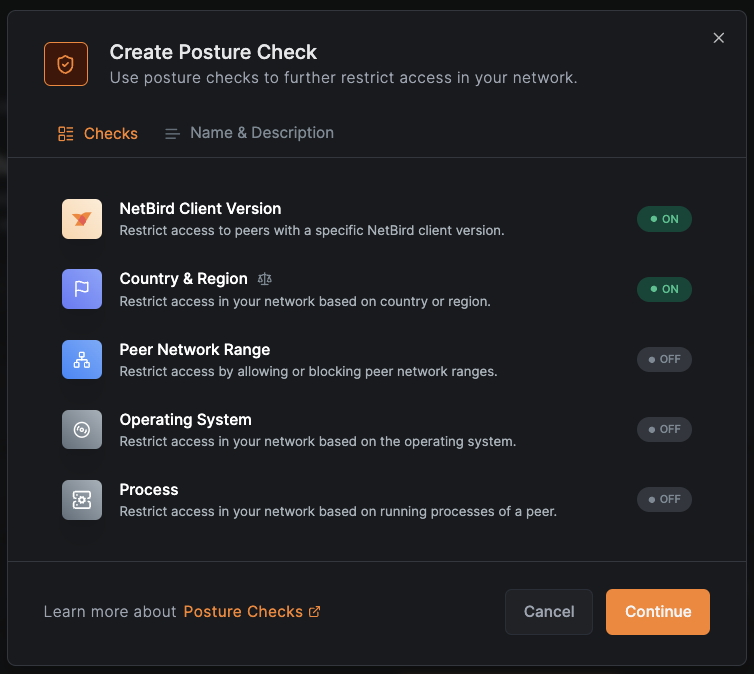
Simply put, you can leverage NetBird's powerful zero-trust networking features to manage the new group.
Now, let’s say you need to remove a user from the group. You can do so by going to Okta and removing the user as you normally would.
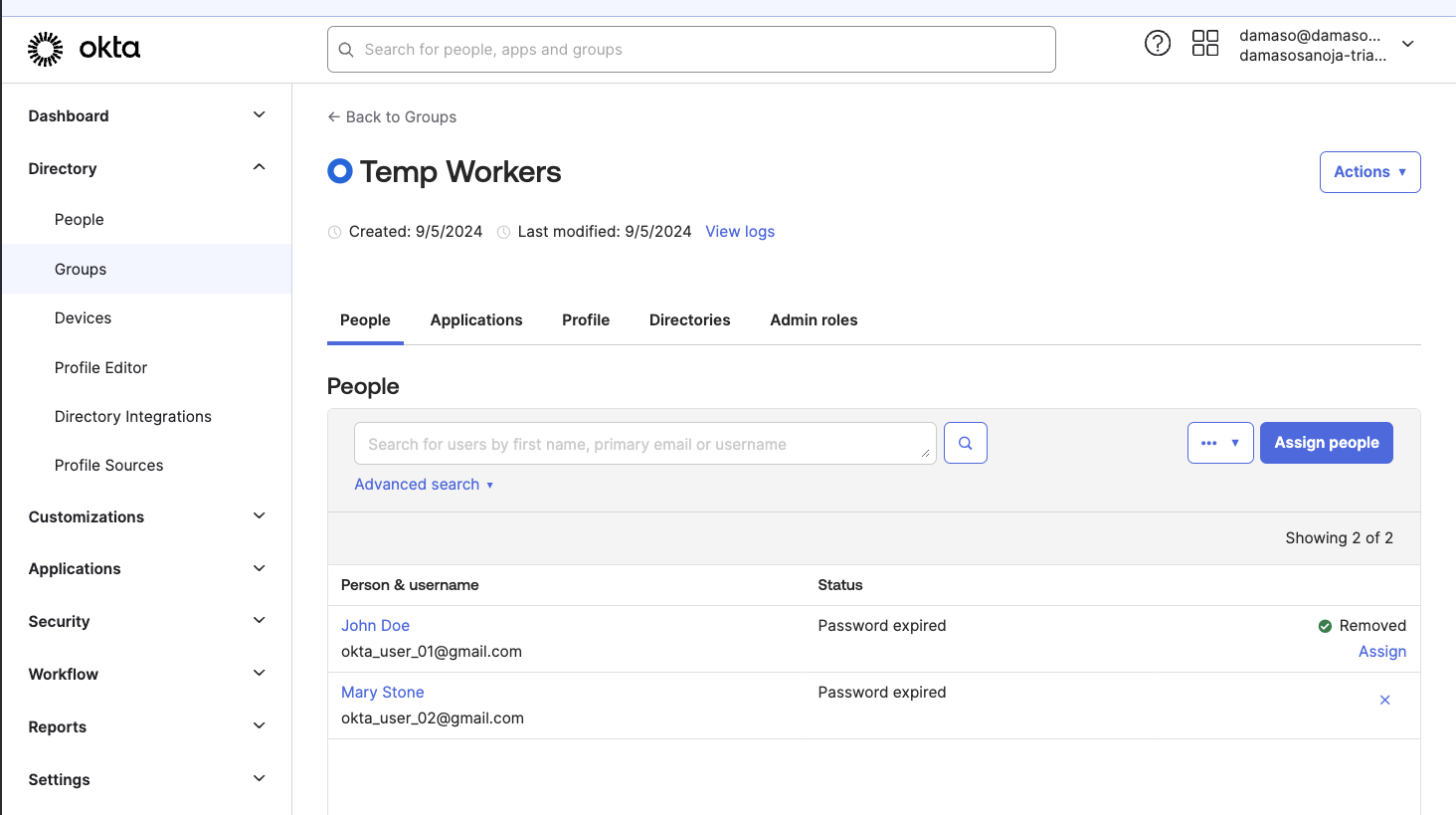
To apply the changes immediately, navigate to , click the tab, then click and select .
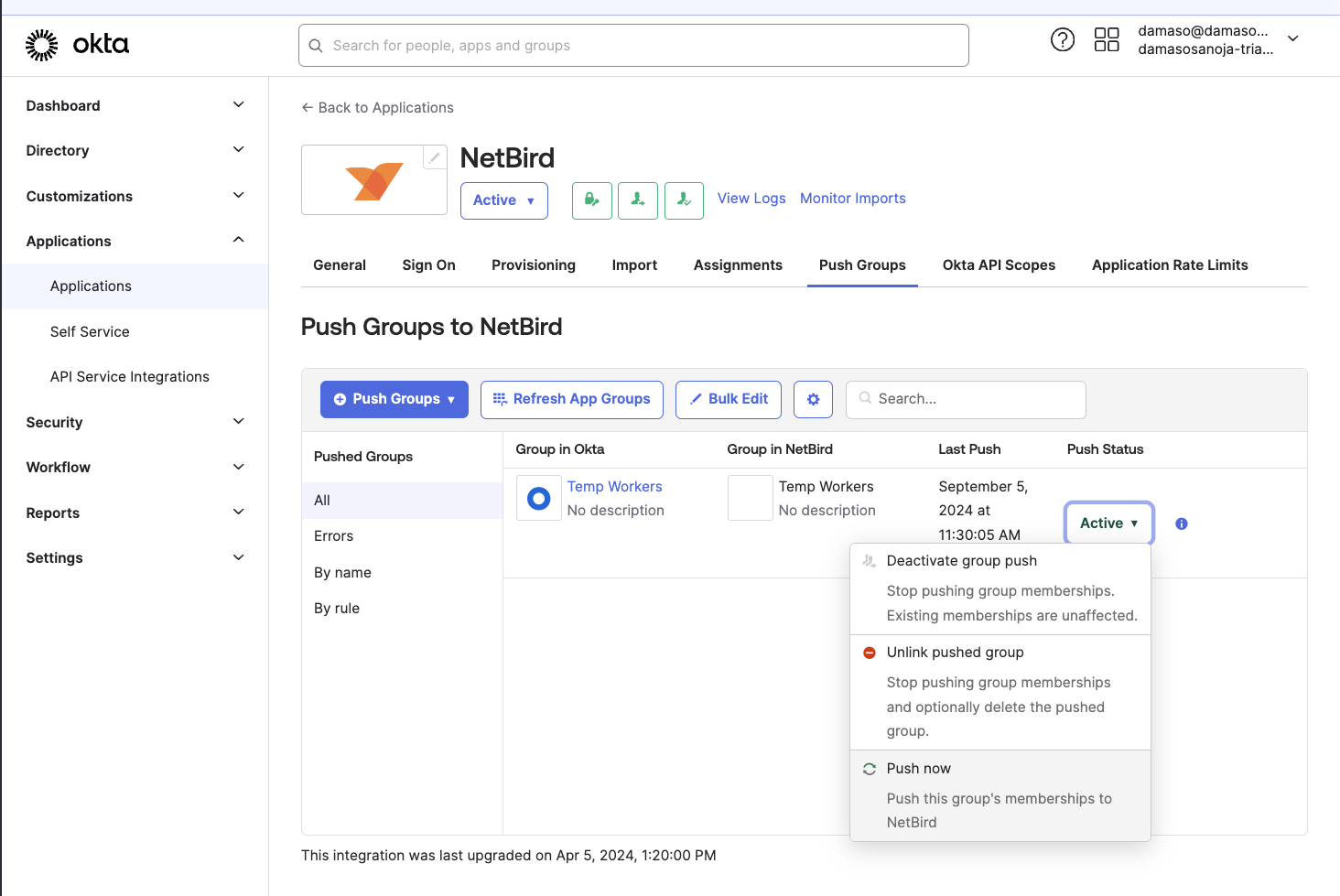
After a few seconds, the changes will synchronize with NetBird.
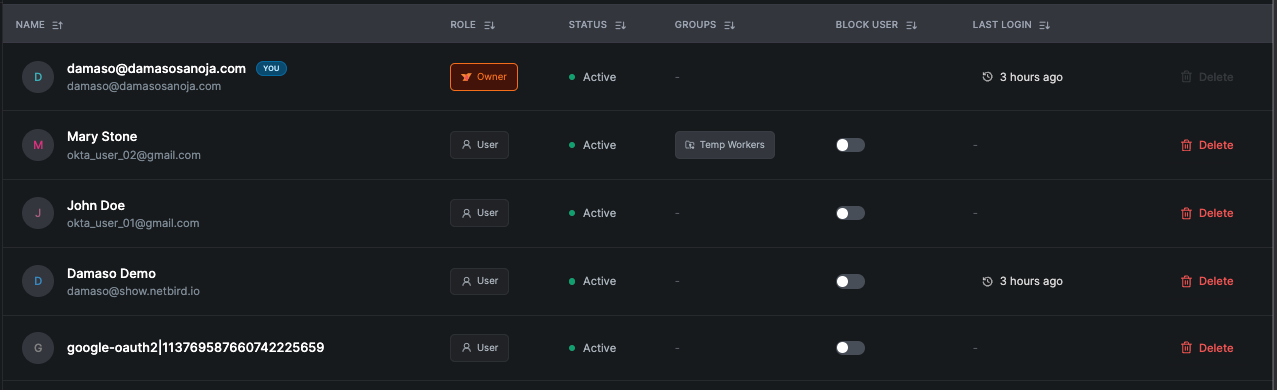
Overall, syncing users and groups with NetBird's IdP integration is straightforward and efficient. You can seamlessly onboard and offboard users using your existing identity provider, ensuring secure and streamlined access management. This integration simplifies your workflow, enhancing both security and productivity.
Ready to simplify your network management? Sign up for NetBird today and experience seamless security and efficiency.