
Hello NetBird Community!
Welcome to our July newsletter. Last month, we've had a significant release featuring several important and impactful new features. We've introduced exciting developments that enhance functionality and user experience. Here's a recap of what's been happening:
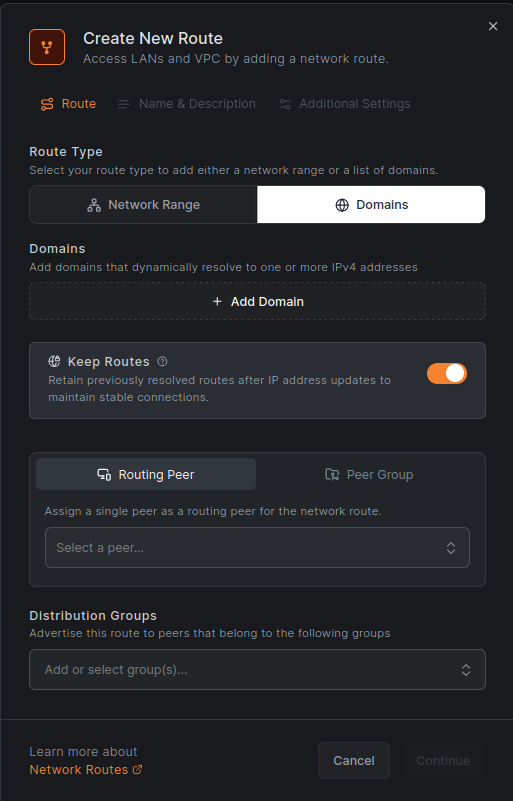
DNS Routes:
NetBird users can now configure routes using domain names instead of IP ranges. Domains will be dynamically resolved on the client, and the resolved IP addresses will be added as routes. This simplifies routing traffic to load balancers, managed databases, and restricted sites behind CDNs with greater ease and precision. For example, you can ensure that traffic to a particular website is routed through a specific machine by configuring DNS routes for these domains instead of specifying IP ranges.
Process Posture Check
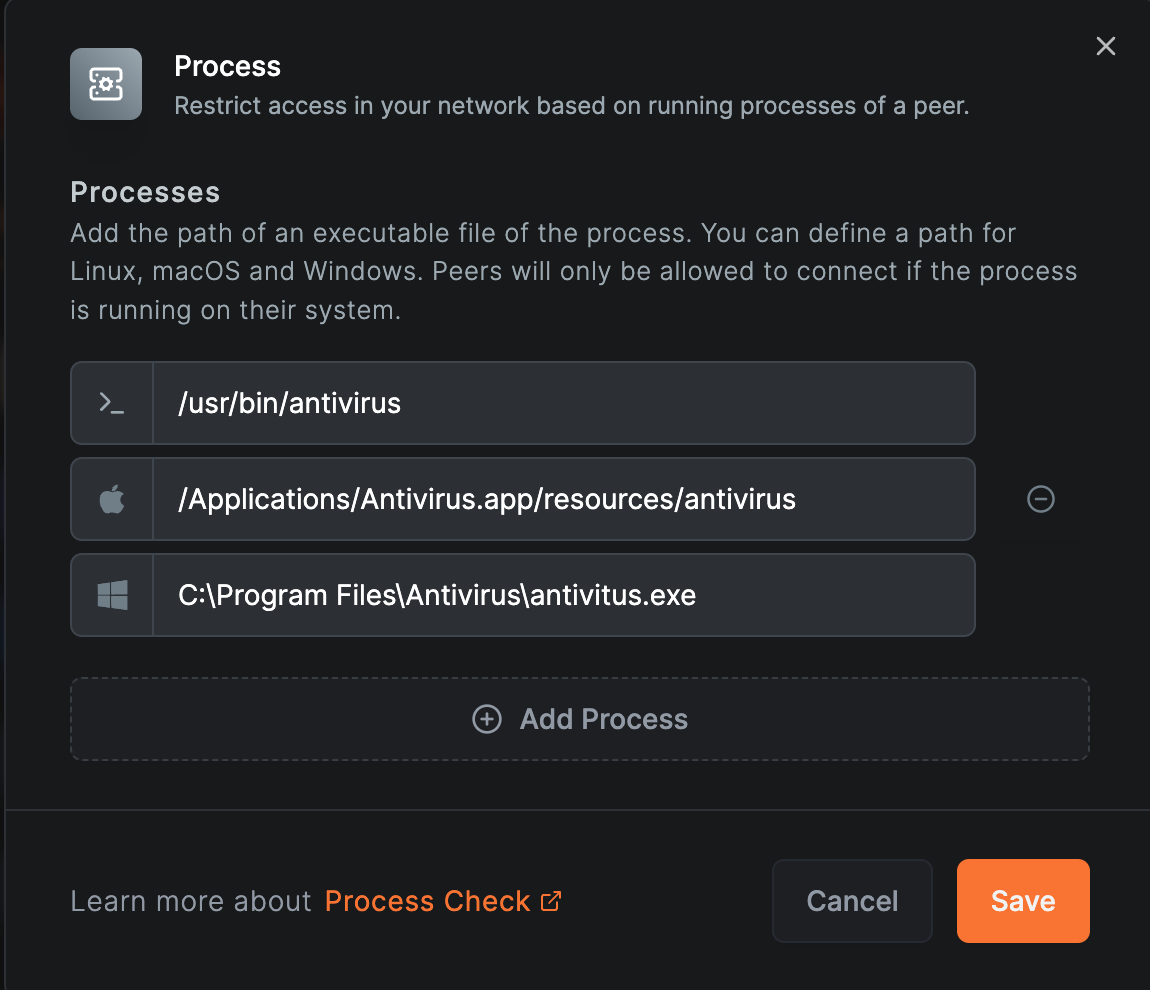
This feature is beneficial for controlling access based on the presence of certain processes. The process check verifies whether a specific process is running on the connecting device, applicable to Linux, macOS, and Windows devices. For example, you can disable a connection to a routing peer if a required process is not running, ensuring that necessary processes are in place for secure network access.
Learn more about Process Posture Check
Initial Support for FreeBSD
As announced in last month's newsletter, experimental support for the FreeBSD operating system is now available. This feature aims to introduce early functionality for FreeBSD. Please note that this version is still in its initial stages and may contain bugs or incomplete elements.
Network Monitor
Network monitor is now enabled by default for new Windows and macOS clients. This feature watches for changes on peers' network interfaces and restarts the connection when necessary, which is particularly useful when roaming between networks with frequently changing default gateways. Existing Windows, macOS, and Linux users can enable this feature by adding the flag to the command:
Using 0.0.0.0/0 as Source for Network Routes Firewall Rules
Routing peers will now use as the source in network routes firewall rules. Previously, the NetBird address was used as the source, complicating site-to-site configurations and requiring administrators to add new firewall rules to connect internal networks via routing peers. This enhancement simplifies the configuration process by only requiring internal routers to be configured, making site-to-site setups more straightforward.
Add GUI Client Configuration Options
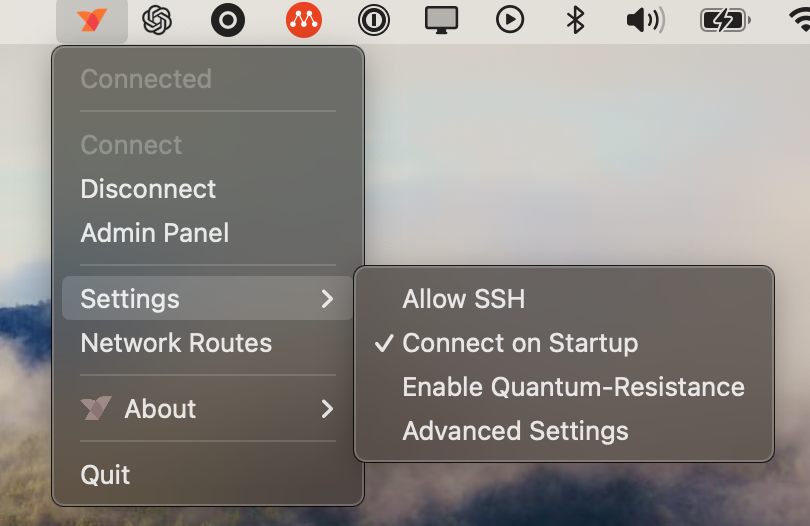
We have introduced new "quick" configuration options to the client UI, enabling users to configure the client without editing the configuration file or using CLI commands. These include options to allow SSH, enable/disable connection on startup, and quantum-resistance.
New Videos and Knowledge Hub Articles
Our co-founder, Misha, has written a new article titled regreSSHion- A New OpenSSH Server Remote Code Execution Vulnerability . The article provides a summary of the newly discovered OpenSSH server vulnerability (CVE-2024-6387) that allows remote code execution. It details the affected versions and offers essential mitigation steps to protect your systems.
Visit our NetBird channel on YouTube. Our latest video covers posture checks and how to implement them effectively. Watch it here: Using Device Security Posture to Enhance Network Security with NetBird.
🚀 That's a wrap for this month's newsletter! Thanks for being part of our community. Stay tuned for more exciting updates and until next time!
Regards, Team NetBird