
Lazy Connection in NetBird
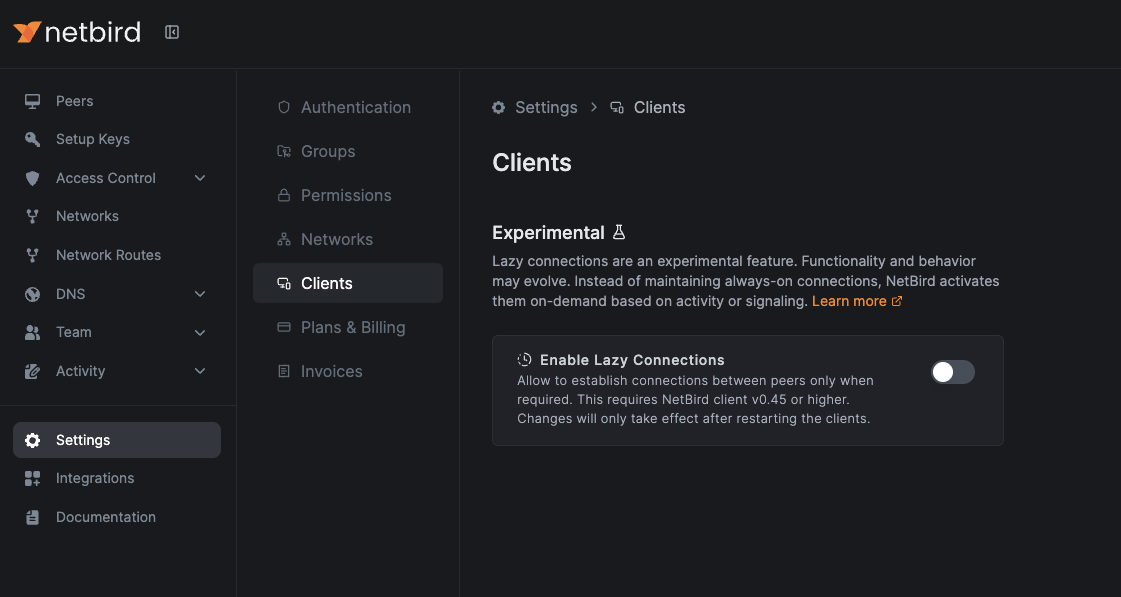
NetBird now includes an experimental lazy connection feature designed to improve performance and reduce resource usage by connecting to peers only when needed. Instead of maintaining always-on connections, NetBird activates them on-demand based on activity or signaling.
NetBird Android App
The NetBird Android app has been refactored and is ready for you to test in the Google Play public testing channel.
Why it matters:
- Same great features- cleaner codebase: We rebuilt the app from the ground-up while preserving every feature you rely on today.
- Faster evolution ahead: The refactor unlocks quicker release cycles and smoother delivery of new capabilities.
- Powered by the latest Go runtime: The client now runs on the newest Go version, boosting performance and security.
- Routing-peer ready: For advanced setups, the Android device can act as a routing peer, letting you bridge traffic for the rest of your mesh on the go.


Domain Name Customization
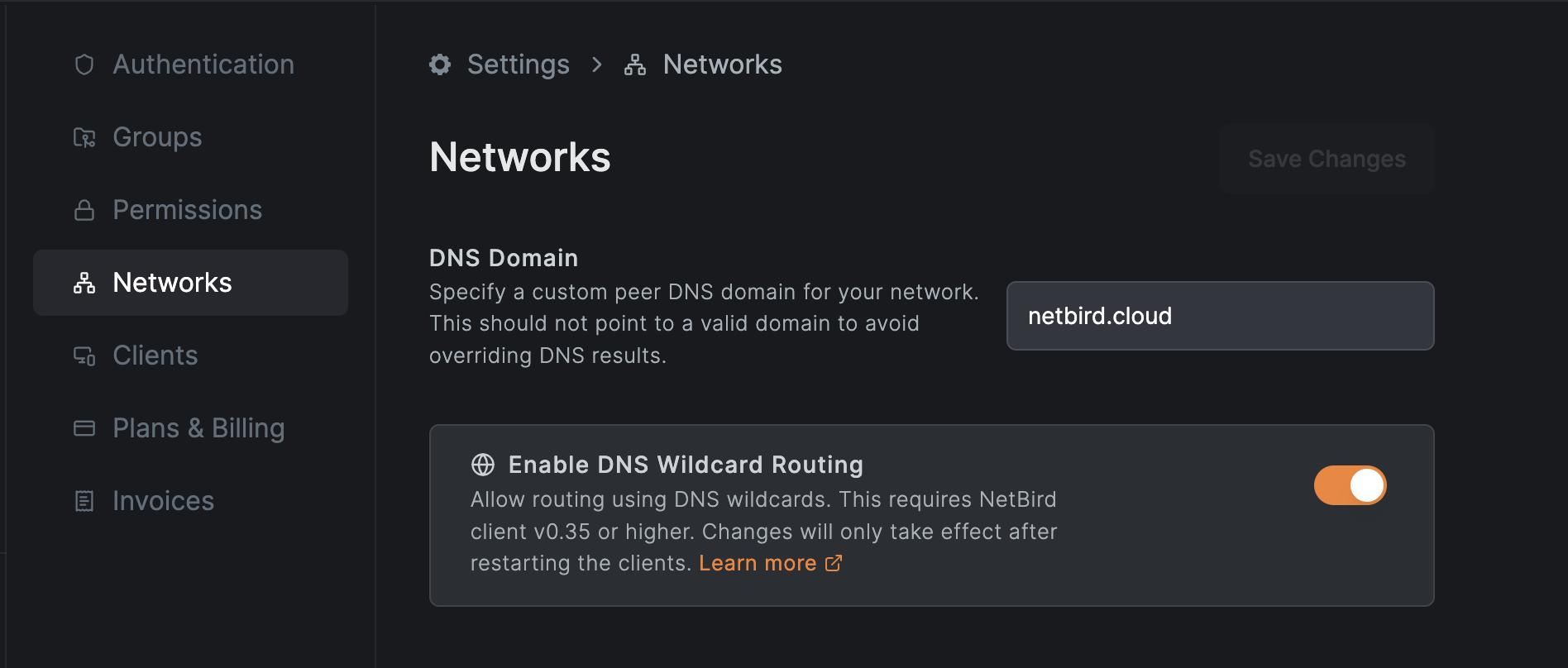
The custom DNS domain feature was highly anticipated by the community. It is now possible to change the domain for all your NetBird peers on a per-account basis.
In practice, you can replace the previously fixed FQDN with your own custom domain, such as .
Keep in mind that these DNS records are only available to NetBird peers that are connected to the NetBird management server.
NetBird v0.46.0 – Windows DNS Fixes + New Security Toggle
DNS Reliability Patch ( #3926 )
- The client now runs ‘registerdns’ before flushing the resolver cache.
- This guarantees that fresh records are registered with Windows AD/DNS before any cached entries are cleared, eliminating occasional “hostname not found” hiccups.
Why it matters:
- Fewer DNS lookup failures after network changes or re-connects—especially in domain-joined environments.
“Block Inbound” Flag ( #3897 )
- New opt-in setting that drops all unsolicited inbound traffic on a peer.
Why it matters:
- It gives admins a one-click way to enforce an outbound-only posture for devices that should never expose services, tightening zero-trust boundaries.
Feature Deep Dive: Traffic Events Logging
Last month, we hosted a live walkthrough of NetBird’s new Traffic Events Logging feature. This session explored how teams can now monitor and analyze network activity in real-time, making it easier to debug issues, boost visibility, and enhance observability across their infrastructure.
We covered everything from setup to real-world use cases—ideal for teams looking to simplify troubleshooting and stay in control of their network.
Missed it?
Check out the recording and watch your email for upcoming deep dive webinar alerts.
NetBird just crossed 15K stars on GitHub!
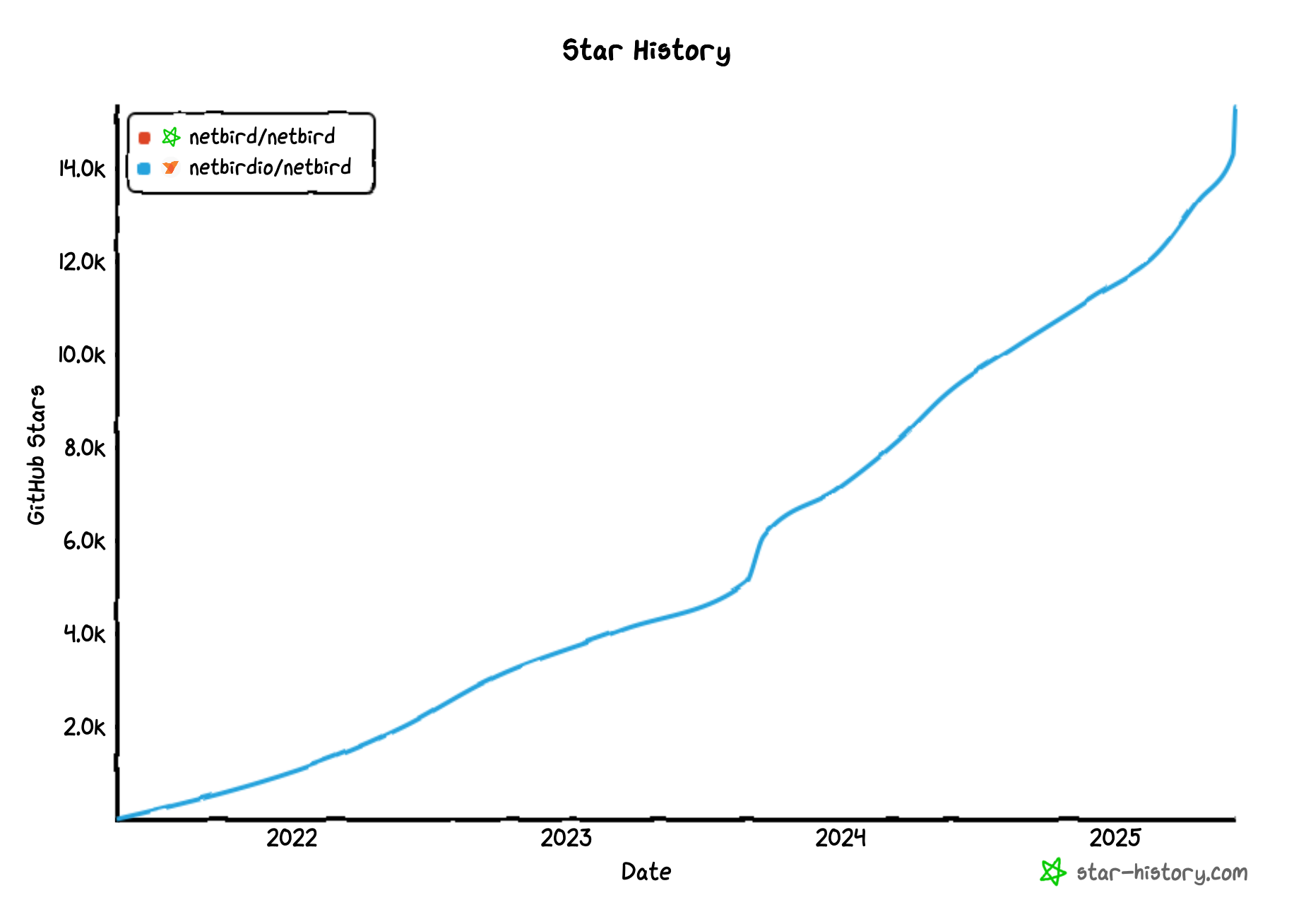
Thank you to all of you who are with us on this journey. If you’re not on there already - Join our public slack channel to stay connected with the NetBird community.
That’s it for this month’s newsletter! Thank you for being part of the NetBird community. Stay tuned for more updates!
– Team NetBird
Check out the changelog to stay on top of all the product releases. Follow NetBird on LinkedIn !