
Robust network security measures are no longer optional—they’re essential. Single Sign-On (SSO) and Multi-Factor Authentication (MFA) are at the forefront of these defenses, providing critical protection for organizations and individuals alike. At NetBird, we recognize their importance, which is why our open source version already includes both SSO and MFA at no cost. Now, we're extending this commitment by making MFA completely free for all users in the cloud-hosted version of our platform, ensuring accessible network security for everyone.
This move represents more than just a feature update; it's a statement about our commitment to network security. We believe that fundamental security measures shouldn't be hidden behind paywalls or reserved for premium users. Instead, they should be accessible to everyone, regardless of budget or scale. By democratizing these essential security tools, NetBird is not just enhancing its own service—we're setting a new standard for the industry.
The Problem: Security Features Behind Paywalls
In the current cybersecurity landscape, a concerning trend has emerged: many service providers place crucial security features like SSO and MFA behind premium paywalls. This practice creates several significant challenges:
- Increased Vulnerability: By restricting access to these essential security tools, providers inadvertently create a two-tier security system. Users who can't afford premium plans are left more vulnerable to cyber threats, potentially compromising their entire network.
- Financial Burden: Organizations, especially small to medium-sized businesses, often face a difficult choice between allocating limited resources to security or other critical areas of their operations. This financial pressure can lead to compromises in security measures.
- Barrier to Best Practices: By treating essential security features as premium offerings, the industry inadvertently sends a message that these are "nice-to-haves" rather than necessities, potentially slowing the adoption of best security practices.
This approach not only impacts individual users and organizations but also has broader implications for overall network security. As cyber threats continue to evolve and become more sophisticated, it's crucial that basic yet powerful security tools like SSO and MFA are widely available and implemented.
NetBird's Solution: Democratizing Essential Security
At NetBird, we believe in a different approach. We're committed to democratizing essential security features by making MFA freely available to all our users. Here's how we're addressing the pain points of network security:
Free SSO and MFA for All
We've removed the paywall for our MFA feature, previously available only in our Team plan . This means that every NetBird user, regardless of their plan, can now benefit from this crucial security feature.
Seamless Integration with Popular IdPs
NetBird offers effortless integration with popular Identity Providers (IdPs) such as Google, Azure, and Okta. This integration brings two significant advantages:
- Automatic MFA Configuration: When users log in using their IdP credentials, MFA is automatically enabled, inheriting the security settings from the IdP. This ensures a consistent and robust security posture across all applications.
- Simplified User Experience: Users can leverage their existing IdP credentials, reducing password fatigue and streamlining the login process.
Easy MFA Setup in NetBird's Web UI
For users who don't use an IdP or prefer direct authentication, we've made enabling MFA incredibly simple through our web UI. With just a few clicks, users can set up this additional layer of security, ensuring that their NetBird account remains protected.
Benefits for Users and Companies
- Enhanced Security at No Extra Cost: By providing free access to MFA, we're enabling all our users to significantly boost their security posture without incurring additional expenses.
- Reduced Attack Surface: With MFA in place, the risk of unauthorized access is dramatically reduced, even if passwords are compromised.
- Improved Compliance: Many regulatory standards require MFA. By offering it for free, we're helping organizations meet compliance requirements more easily.
- Simplified User Management: SSO integration streamlines user management, reducing administrative overhead and improving productivity.
- Scalable Security: As organizations grow, their security measures can scale effortlessly without worrying about per-user licensing costs for these essential features.
Getting Started with NetBird's MFA
Enabling MFA is straightforward:
- For users with an existing Identity Provider (IdP) integration: When logging into NetBird, simply select your IdP from the available options. The system will automatically adopt Single Sign-On (SSO) and Multi-Factor Authentication (MFA) from your chosen provider, streamlining the security process.
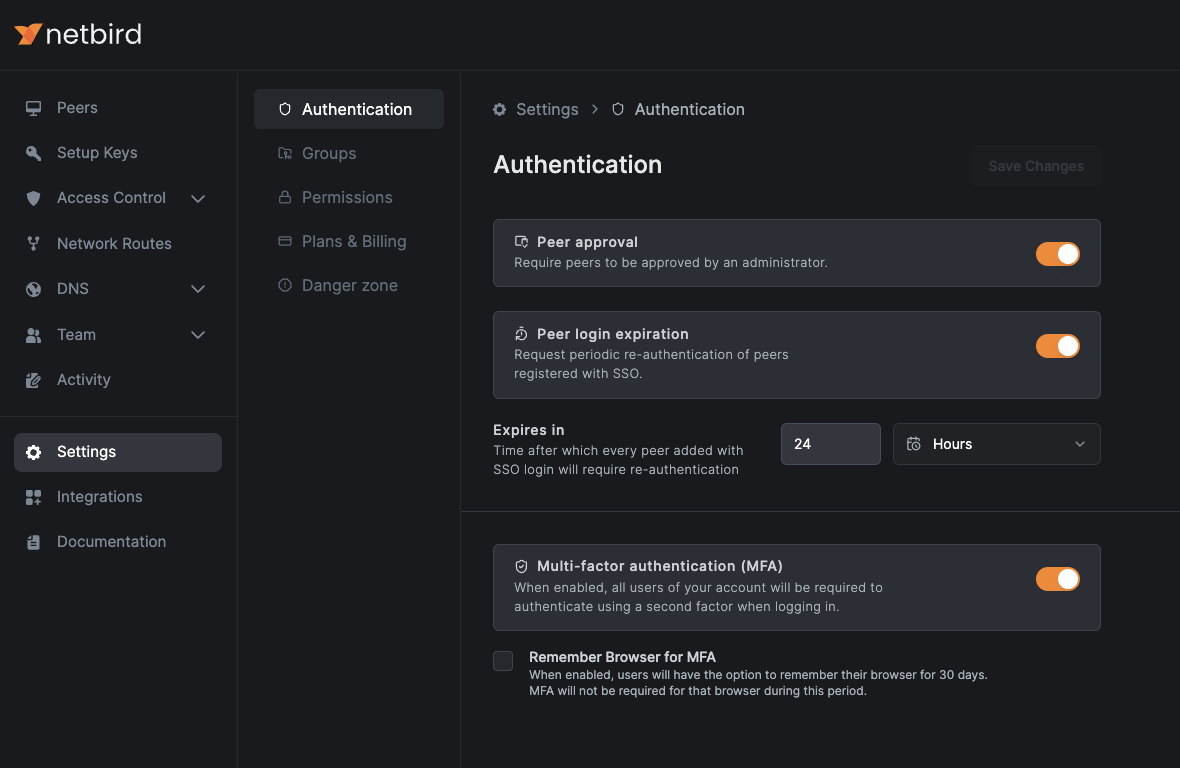
- For users without IdP integration: Access your NetBird account and locate the section within the web user interface. This is where you'll find the MFA configuration options.
- Within the page, find and activate the toggle switch.
- As an additional convenience feature, you'll see a checkbox labeled . If selected, this option will remember your current browser for 30 days, reducing the frequency of MFA prompts while maintaining security on trusted devices.
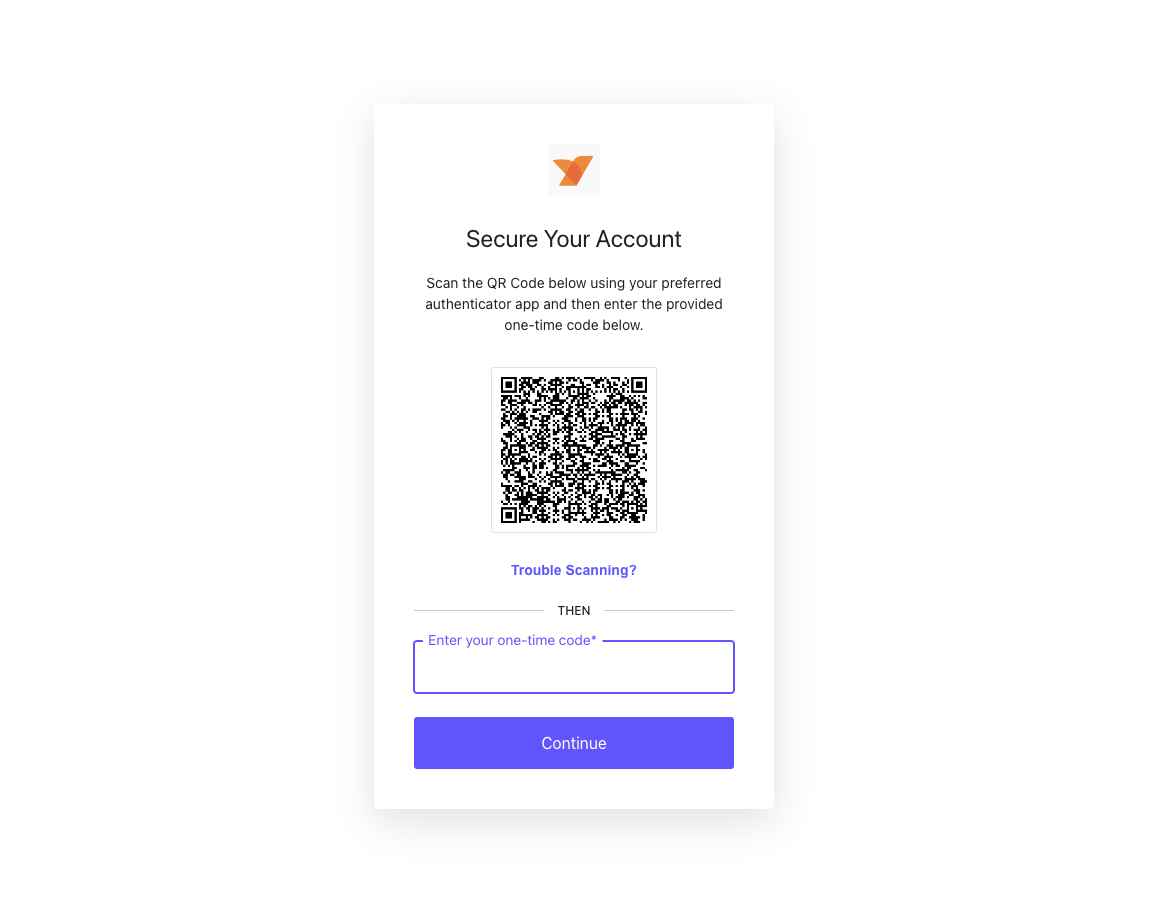
After enabling MFA, every user will be prompted to configure it when logging in. Upon logging in, a new window will appear, displaying a QR code. Use your preferred authentication app on your mobile device to scan this QR code. After successfully scanning, your app will generate a one-time code. Enter this code in the provided field and click to complete the MFA configuration process.
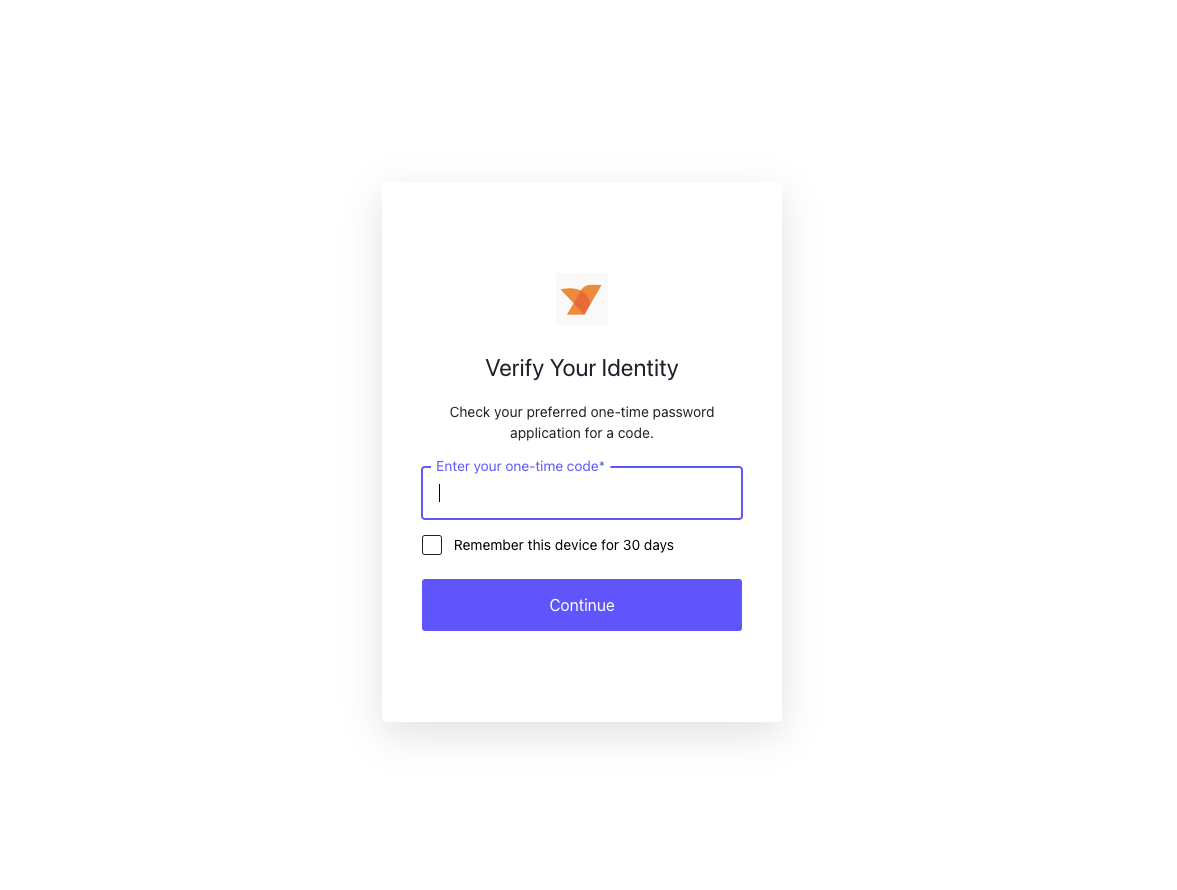
With MFA now activated, each subsequent login to NetBird will require you to input the current one-time code from your authentication app, adding an extra layer of security to your account.
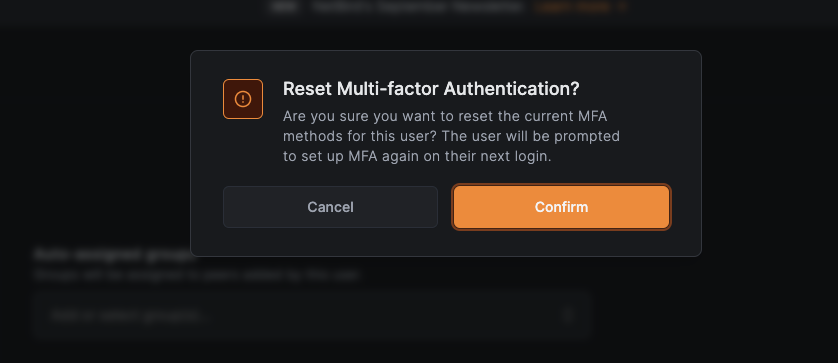
To verify the MFA status, return to the section and click on your user profile. You'll observe that the MFA status now shows as . Additionally, you'll notice a new button.
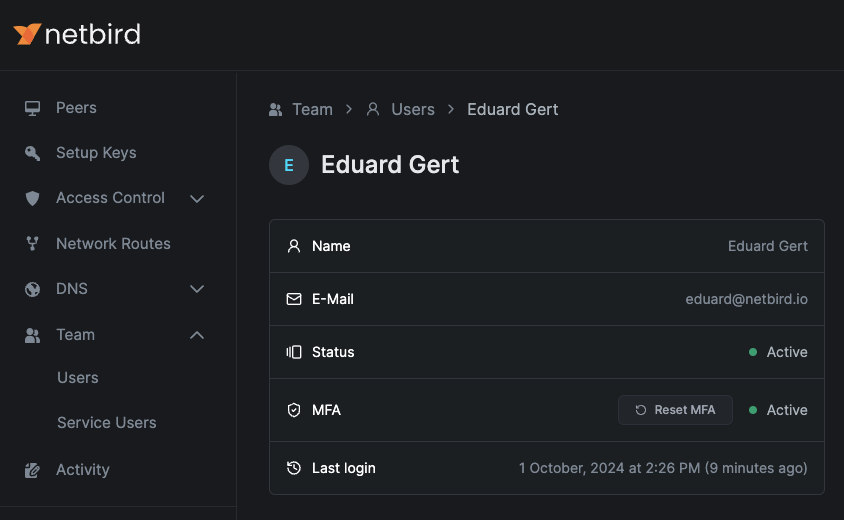
This convenient button allows you to reinitiate the MFA configuration process if necessary, such as when changing devices or troubleshooting issues.
Summing up, we encourage all users to take advantage of these free security feature. By doing so, you're not just protecting your own network—you're contributing to a more secure digital ecosystem for everyone.