Hello NetBird Community!
Welcome to our August newsletter. Last month, we focused on minor improvements and bug fixes. Although we didn't introduce major new features, we enhanced stability and performance. Here's a brief recap of what's been happening:
iOS App Update:
We've rolled out some important improvements to the NetBird iOS app:
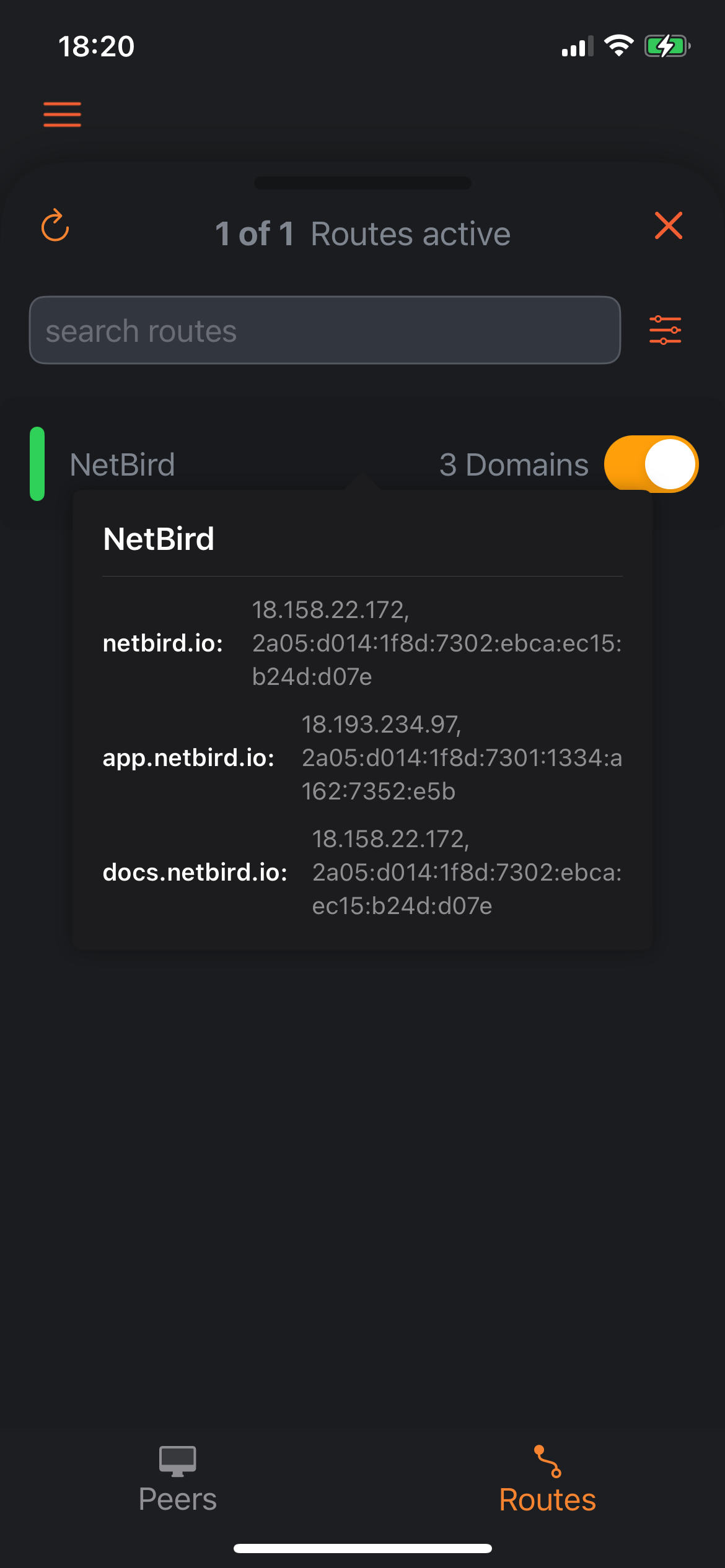
- DNS Routes Support: The app now handles DNS routes. Users can view domain names and their IP addresses by tapping on a route in the overview. This brings more flexible routing options to iOS.
- Enhanced Log Sharing: We've expanded the log export function. You can now share logs with other apps or save them on your device, just like on Android. This should make troubleshooting much easier.
- TestFlight Beta Access: For those interested in trying new features early, there's now a button to sign up for the TestFlight beta program right in the app.
New Tabs in the Network View:
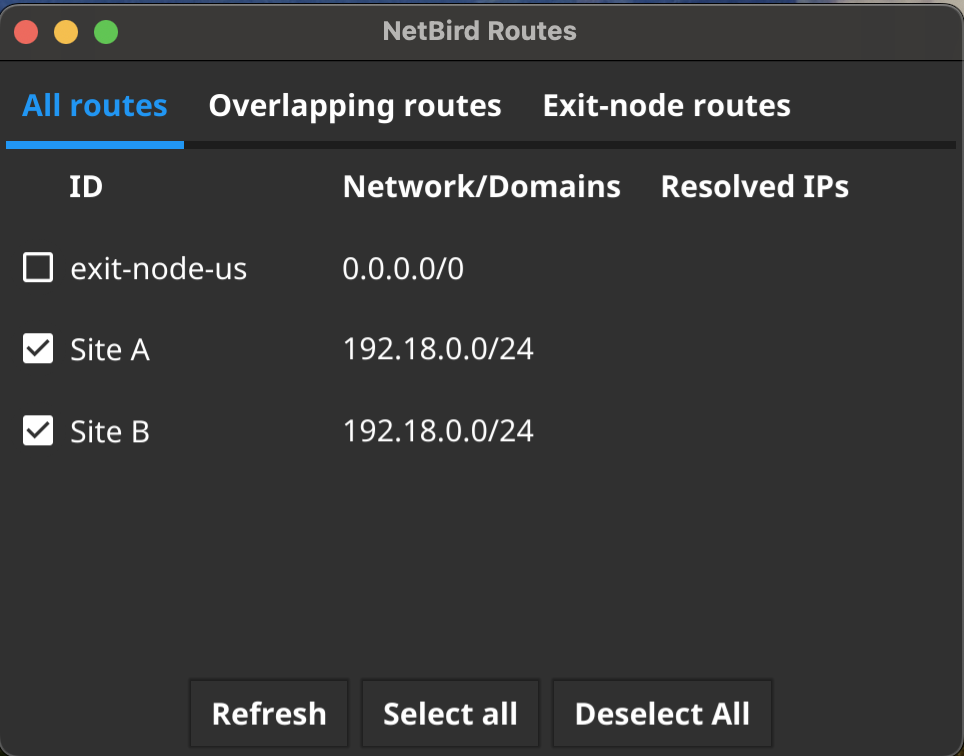
The GUI's network view now features a tab system. NetBird users will find separate tabs for regular routes, overlapping routes, and exit node routes. This new layout improves visibility of network configurations, especially for complex setups. Users can easily switch between tabs to review different aspects of their routing without information overload. The content remains the same, just organized more clearly.
Further Enhancements
We will soon be deploying mass group assignment and deletion. This new feature will allow groups to be mass-assigned or deleted, saving you time compared to deleting them one by one.
New Videos and Knowledge Hub Articles:
Check out our latest articles:
- Limit Network Access Based on Running Processes - Could an unvetted device be the gateway for your network’s next big security breach? This article guides you through setting robust network controls using NetBird's process checks to ensure only devices with active antivirus software can access your network.
- Secure Remote Access to VPCs, LANs, and Offices - Learn how NetBird's Network Routes feature allows secure access to entire LANs or VPCs without installing an agent on every device. This article covers scenarios where this is necessary and provides detailed configuration steps.
Visit our NetBird channel on YouTube. Our latest video Getting started with NetBird demonstrates how to install NetBird on a Mac via SSO, add a Docker container and an EC2 node using setup keys, and explains the concept of exit nodes.
Check out Jim's Garage for an awesome guide on setting up NetBird with Traefik and Authentik: Watch here .
🚀 That's a wrap for this month's newsletter! Thanks for being part of our community. Stay tuned for more exciting updates and until next time!
Regards,
Team NetBird