
NetBird already strengthens network security by letting you control access to internal resources, enforce policies, and audit configuration changes. But access control and audit logs alone aren’t enough, you also need visibility into what’s actually happening on the network: who accessed what, when, and why.
To address this need, we are excited to announce the new Traffic Events Logging feature in NetBird. This feature provides detailed logs of connection traffic events, useful for staying compliant with security policies, debugging network issues, and incident response.
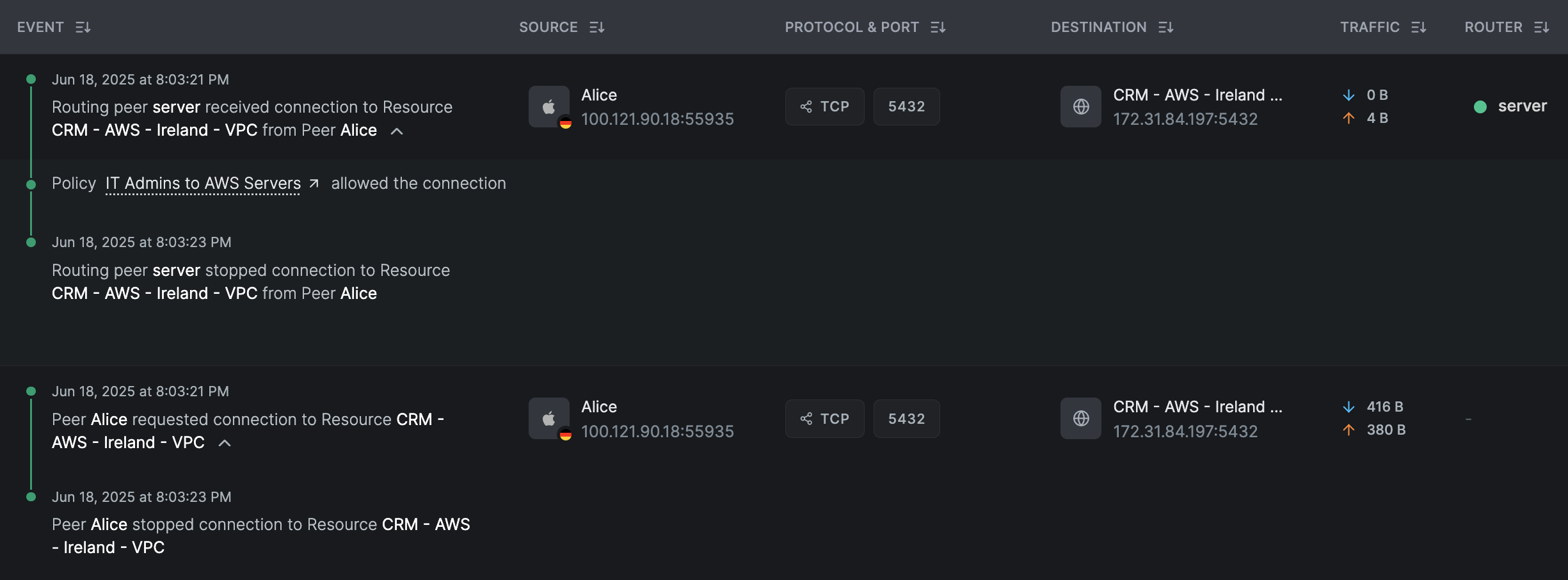
The feature provides in-depth visibility into network interactions, capturing:
- Connection source and destination IPs and ports
- Protocols (TCP, UDP, ICMP)
- Timestamps and data volumes
- Access control policies that allowed the connection
Logged events can be exported to external systems for further analysis, such as SIEMs or log management tools using NetBird's Event Streaming feature .
How It Works
Traffic Events Logging feature logs connection events in real-time for peer-to-peer and peer-to-network resource connections.
Peer-to-Peer (P2P) Connections
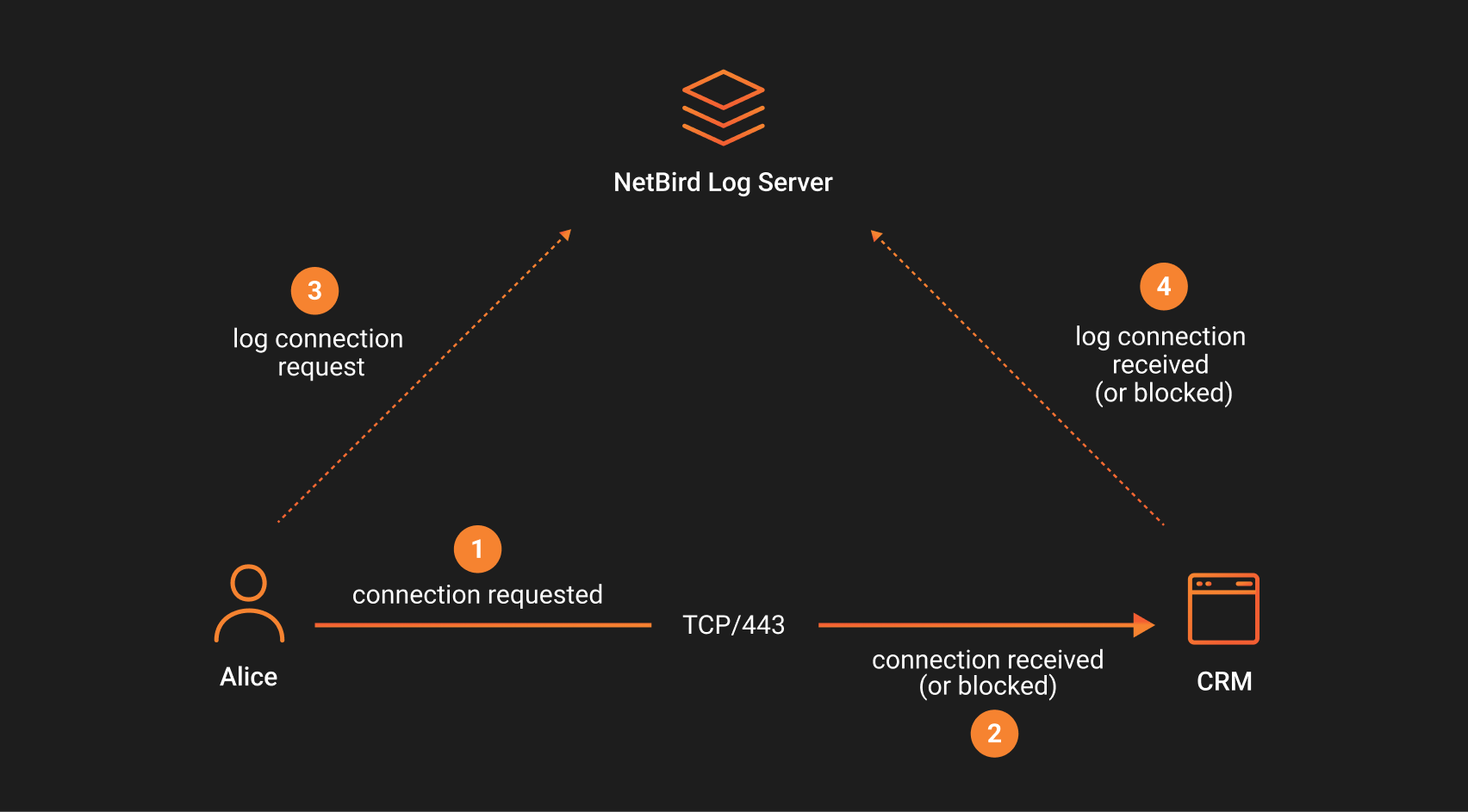
When two peers run a NetBird agent and connect directly (e.g., a laptop accessing a CRM server), NetBird logs the connection events on both peers. Events include:
- When the connection is initiated.
- When the connection is closed.
- When a policy denies access.
If the connection is allowed by an access control policy, both peers will log connection started and stopped events. If it's blocked (e.g., policy doesn't allow access to certain ports), only the denying peer logs the blocked event.
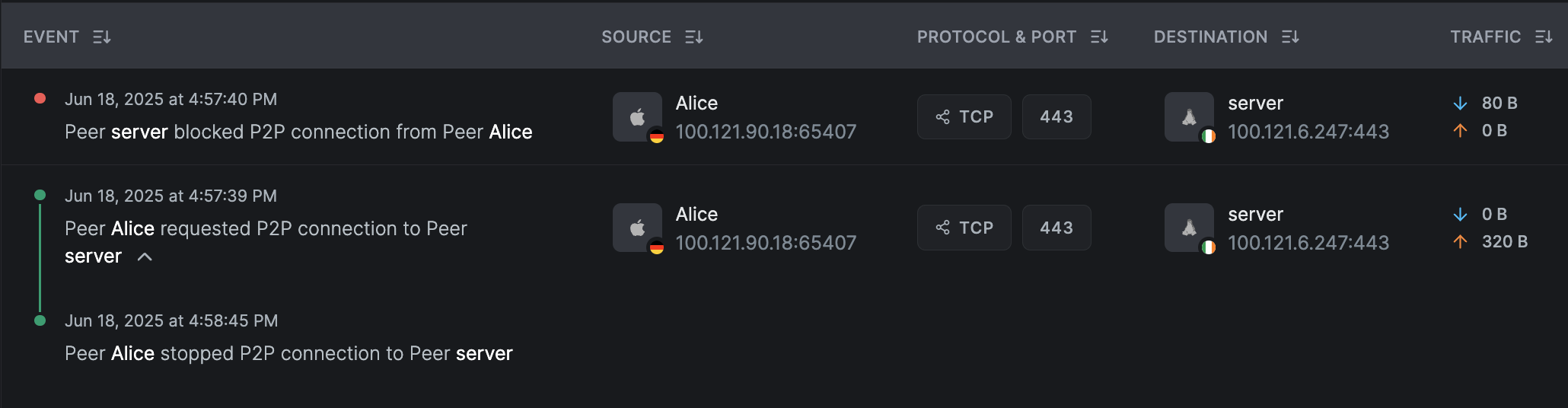
Peer-to-Network Resource Connections (Routed)
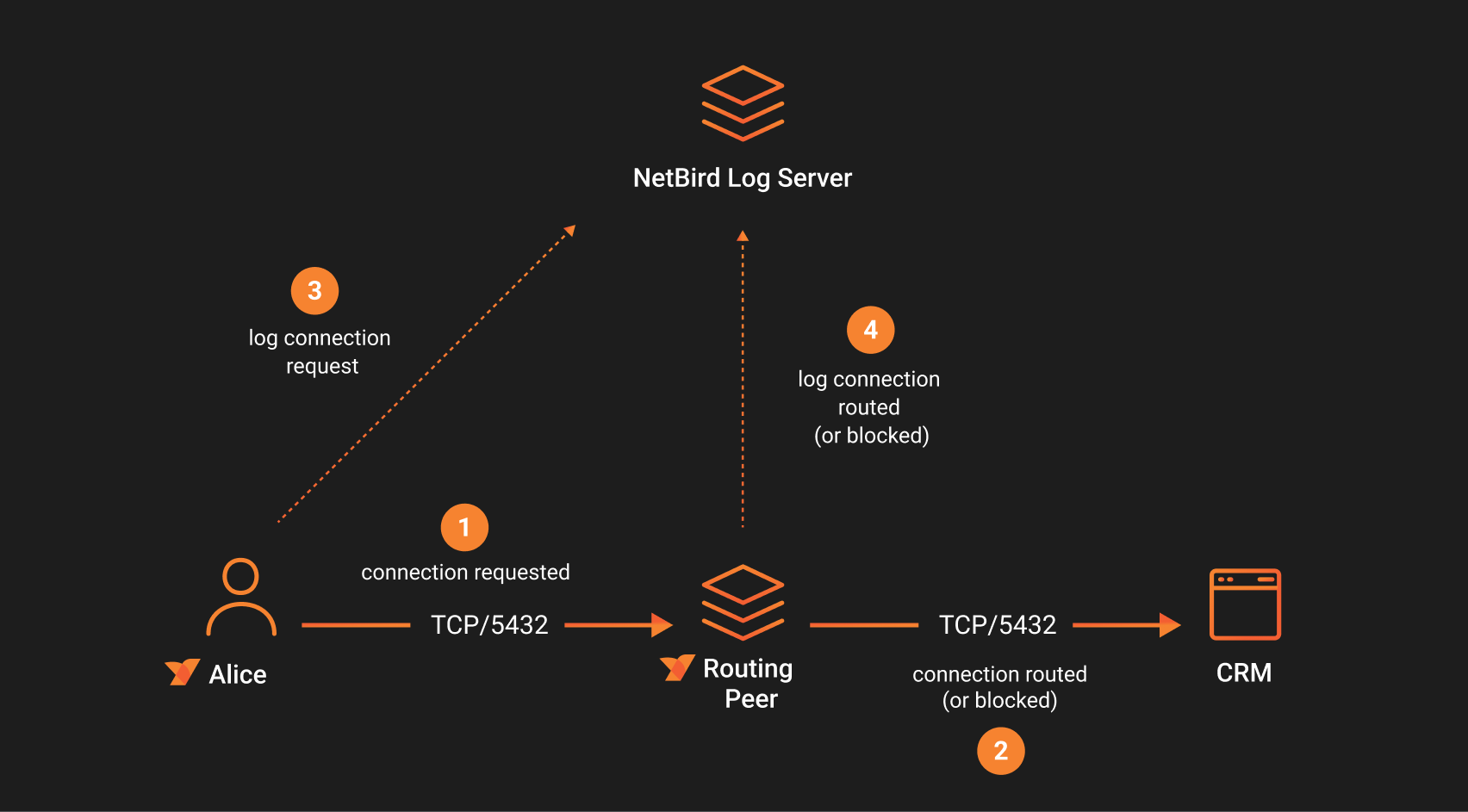
When a peer accesses a network resource through a NetBird routing peer, the system logs:
- Events on the initiating peer.
- Events on the routing peer (not the target resource).
If the routing peer allows the traffic (based on an access policy), both peers will show connection started and stopped events. If the routing peer blocks the traffic, it logs blocked events, while the initiating peer logs only the attempt to connect.
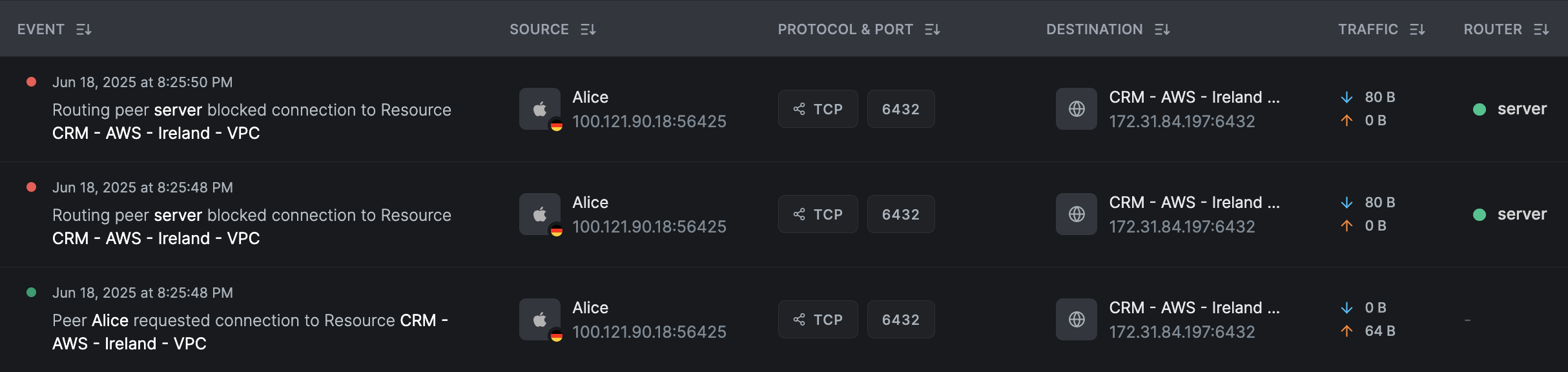
How to Enable
This feature is available in NetBird Cloud under the Business plan and can be enabled in the NetBird dashboard:
- Visit Settings → Networks in NetBird dashboard
- Toggle Enable Traffic Events
- Optionally enable Traffic Reporting (Kernel) for packet‑size details (note: higher CPU usage)
Logs are retained for seven days, with current API cap at 50,000 events. Events may take up to ten minutes to appear after connection start.