After countless conversations with our MSP partners across North America, one message stood out loud and clear: "We need an integration with Huntress."
Today, we're excited to announce that NetBird now officially supports Huntress, the managed detection and response platform loved by MSPs throughout North America.
Why Huntress Matters for MSPs
Managed Service Providers face a unique challenge: they must secure not just their own infrastructure, but the networks of every customer they manage. A single compromised endpoint can cascade across multiple client environments, turning trusted MSP relationships into attack vectors.
Huntress has become the go-to EDR platform for MSPs because it was built specifically for their needs. It combines automated threat detection with human-powered threat hunting, providing the 24/7 security coverage that MSPs need to protect their clients without building massive security operations teams.
What This Integration Enables
With the NetBird-Huntress integration, you can ensure that only devices managed by Huntress are allowed to access your customers' networks. This creates a powerful security boundary that addresses three critical requirements:
Enforce device compliance automatically: NetBird continuously verifies that connecting devices meet your Huntress security standards. The integration checks Windows security metrics including Defender policy status, managed Microsoft Defender configuration, and firewall state. Devices that fail to meet these requirements automatically lose network access until compliance is restored.
Eliminate manual security reviews: When a device falls out of compliance, NetBird immediately restricts its network access without requiring manual intervention. When the device becomes compliant again, access is automatically restored. This removes the time-consuming ticket queues and human error from your security workflow.
Protect multi-tenant environments: For MSPs managing multiple client networks, this integration ensures that only properly secured devices can reach each customer's resources. Combined with NetBird's network segmentation capabilities, you can create isolated environments for each client while maintaining centralized security policy enforcement.
How It Works
The integration operates through a straightforward device matching process:
- NetBird connects to Huntress via API to retrieve your managed device inventory
- Each device is matched using its serial number as a unique identifier
- NetBird continuously monitors the compliance status of each device
- Devices with active Huntress agents that meet your defined security policies receive network access
- Non-compliant devices see an "Approval required" status and cannot access protected resources
You can configure specific compliance requirements based on your security needs, including Defender policies and firewall configurations. The sync window is configurable, defaulting to 24 hours to ensure your access decisions reflect current device status.
Growing EDR & MDM Ecosystem
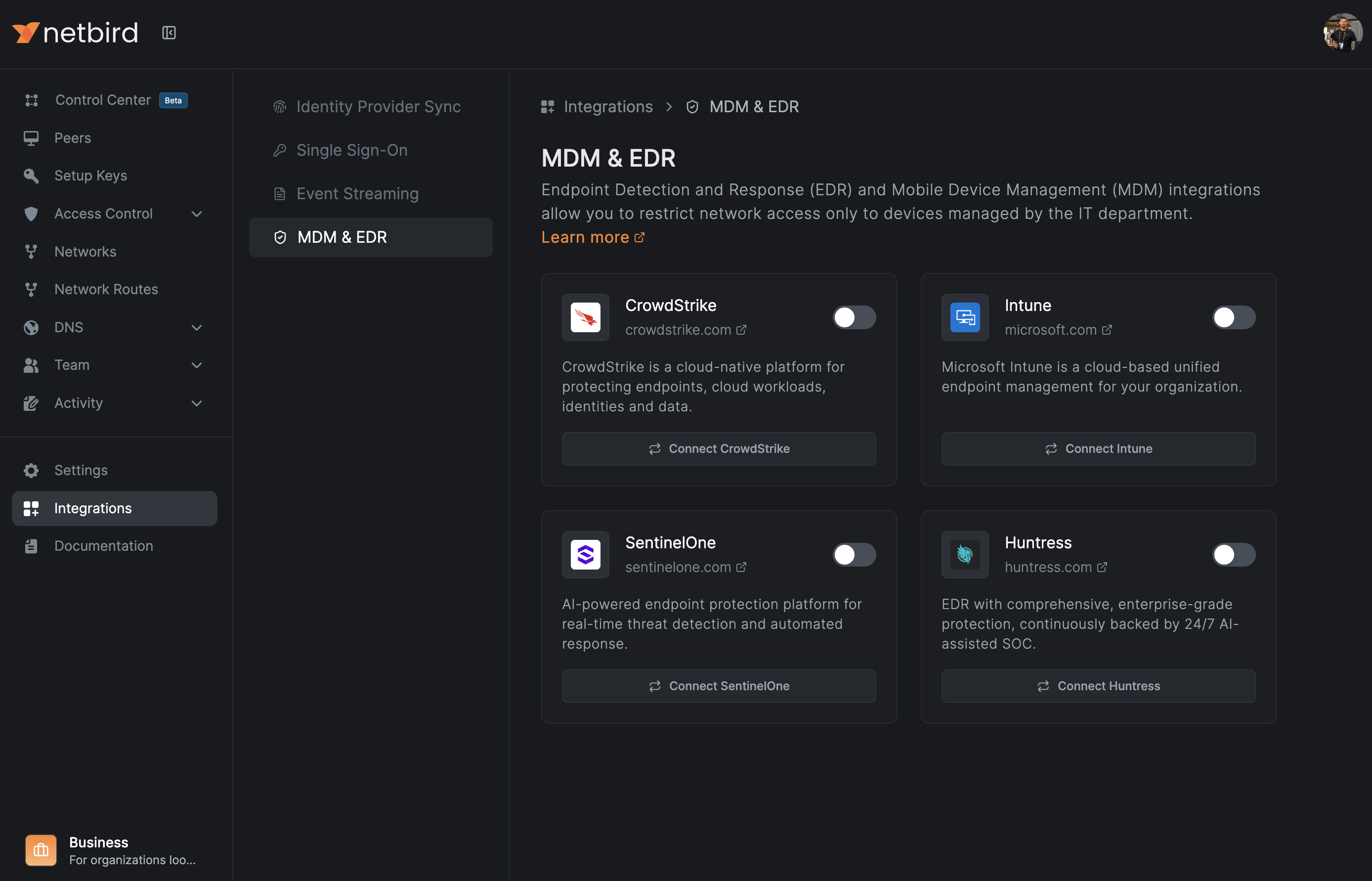
This integration expands NetBird's growing list of supported endpoint security solutions:
- Huntress - Managed detection and response for MSPs
- Microsoft Intune - Device compliance and MDM
- SentinelOne Singularity - AI-powered endpoint protection
- CrowdStrike Falcon - Cloud-native endpoint security
Each integration follows the same principle: verify device security posture before granting network access, and continuously enforce compliance throughout the session.
Get Started
The Huntress integration is available now for all NetBird Cloud customers. To set it up:
- Generate API credentials in your Huntress Management Console under Settings > API Credentials
- Navigate to Integrations > EDR in your NetBird dashboard
- Enter your Huntress API key and secret
- Select which peer groups should be subject to the integration
- Define your compliance requirements
For detailed setup instructions, check out the Huntress EDR documentation .
A big shout-out to the entire Huntress team for building such a fantastic product that MSPs rely on every day. We're thrilled to bring these two platforms together.
What integration would you like to see next? Join our Slack community and let us know.